What is Slide DL?
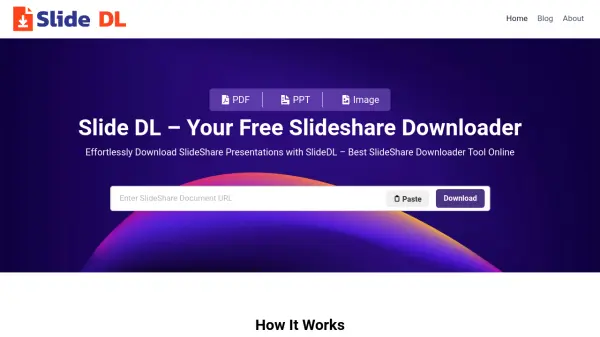
Slide DL is a user-friendly, web-based solution designed for downloading presentations from SlideShare in multiple formats, including PDF, PPT, and images. With its streamlined interface and compatibility across all devices, Slide DL enables users to access SlideShare content offline without the need to register or pay any fees.
The tool gives you the flexibility to select specific slides, obtain high-resolution files, and process downloads rapidly. Whether preparing for meetings, studies, or archiving presentations for future reference, Slide DL ensures top-quality downloads for personal and educational use while maintaining user privacy and data security.
Features
- Unlimited Free Downloads: No limits or costs for downloading presentations.
- No Login Needed: Use the tool instantly without registration.
- Multiple Output Formats: Download as PDF, PPT, or Image files.
- Selective Slide Download: Choose specific slides to download.
- High-Resolution Output: Preserves quality of original presentations.
- Fast Processing: Rapid download and conversion of files.
- Universal Device Support: Compatible with desktops, laptops, tablets, and mobile devices.
- Simple Interface: Easy-to-use design for all users.
- Privacy Protection: Does not store user data or downloaded files.
- No Hidden Fees: Completely free service without premium tiers.
Use Cases
- Downloading SlideShare PPTs and PDFs for offline academic study
- Preparing professional presentations as reference material
- Saving educational content for review and teaching purposes
- Archiving favorite SlideShare slides for personal or business use
- Sharing downloaded presentations with colleagues, students, or team members
FAQs
-
What formats can I download from Slide DL?
You can download SlideShare presentations as PDF, PPT, or image files using Slide DL. -
Do I need to create an account to use Slide DL?
No, Slide DL does not require any registration or login to use its services. -
Can Slide DL download private SlideShare presentations?
No, Slide DL only works with publicly available SlideShare content. -
Does Slide DL store my downloaded files?
No, your downloads are transferred directly from SlideShare to your device, and Slide DL does not store any files or user data. -
Is it legal to download from SlideShare using Slide DL?
Downloading public presentations for personal or educational purposes is allowed, but users should respect the copyright of the original creators.