What is Sketchready?
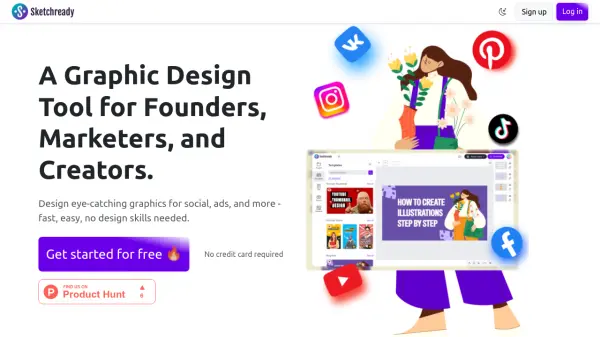
Sketchready is an online graphic design platform tailored for founders, marketers, and creators, enabling users to produce professional-quality 2D graphics without the need for design expertise. The tool features an intuitive, user-friendly editor that makes it easy to transform ideas into visually striking graphics suitable for various digital platforms.
Sketchready offers a collection of expertly designed templates and high-resolution export options, supporting PNG, JPG, and PDF formats for optimal versatility. With features like real-time automatic saving and a generous selection of ready-to-use design elements, users can streamline their creative process and deliver compelling visuals efficiently. The platform provides both a free plan and a Pro subscription, with separate AI-powered features available via purchasable credits.
Features
- Effortless Editing: User-friendly editor that requires no design skills.
- Automatic Save: Real-time saving of all user designs to prevent loss of work.
- Professional Templates: Library of expertly crafted, ready-to-use design templates.
- High-Resolution Exports: Capability to export graphics in PNG, JPG, or PDF formats.
- Unlimited Exports: No limits on the number of graphics exported.
- Pro Features: Access to enhanced design functionalities with subscription.
- Pro Templates: Additional top-tier templates available for subscribers.
Use Cases
- Designing social media posts for platforms such as X or Instagram.
- Creating eye-catching ads and promotional banners.
- Making professional YouTube thumbnails.
- Producing graphics for landing pages and email newsletters.
- Rapidly prototyping visual ideas for marketing campaigns.
FAQs
-
What formats can I export my designs in?
You can export your creations in PNG, JPG, or PDF formats. -
Do I need design experience to use Sketchready?
No, Sketchready is designed to be intuitive and user-friendly, so anyone can create professional graphics without prior design skills. -
Are AI features included in the Pro plan?
AI features require the purchase of separate AI credits after subscribing to the Pro plan. -
Is there a free plan available?
Yes, Sketchready offers a forever-free plan with unlimited exports and essential features.