Every vendor now labels something an "agent." Your inbox assistant that drafts replies, the coding copilot that edits three files, the sales tool that researches a lead and logs a CRM note. Some of these are genuine multi-step systems. Others are marketing for a chatbot with one API hook. The label matters because agents introduce reliability risks, permission questions, and billing patterns that single-shot prompts do not.
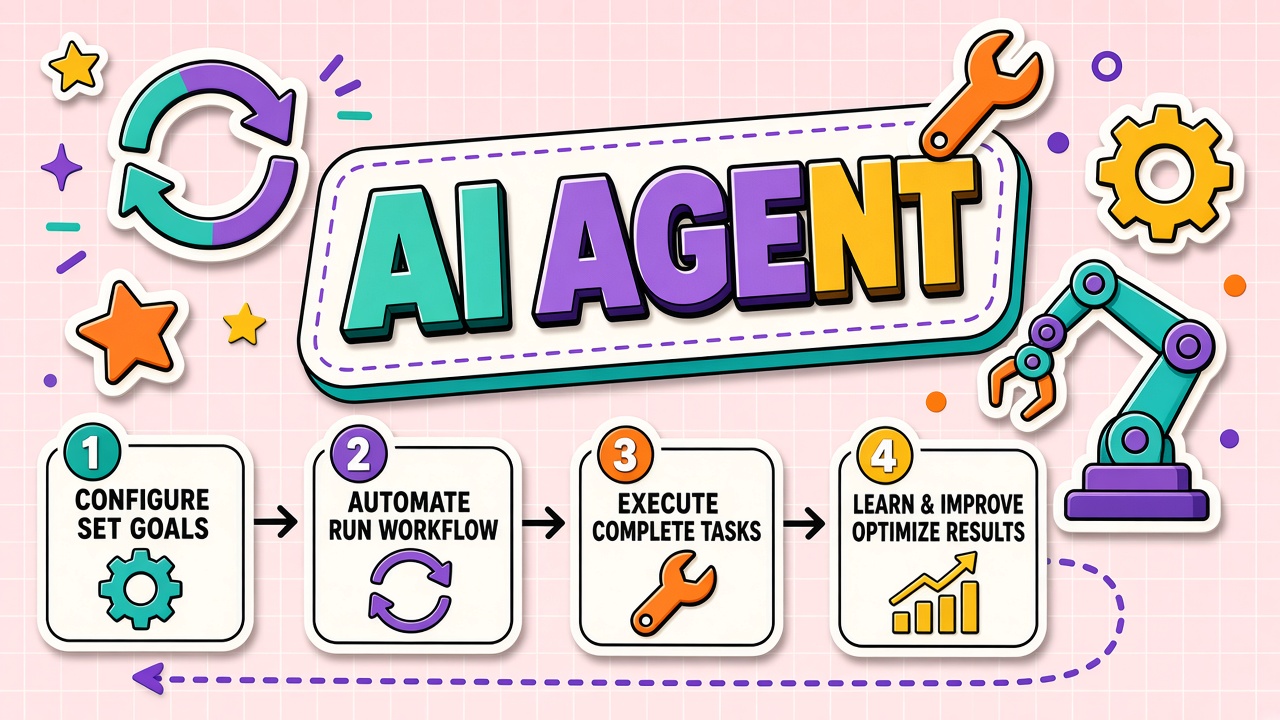
An AI agent is a language-model-driven system that pursues a goal by repeatedly deciding which tool to call, executing that tool, observing the result, and continuing until the task completes or a safeguard stops the run. Anthropic defines agents simply as "models using tools in a loop." This guide explains the agent loop, how agents differ from chatbots and workflow automations, where commercial products implement agents today, what can go wrong, and which human-in-the-loop patterns actually work. Start exploring AI automation tools with this mental model before evaluating agent claims on a pricing page.
What Is an AI Agent?
An AI agent combines four ingredients: a goal stated in natural language, a language model that plans and decides, a set of tools the model can invoke (search, code execution, database queries, email senders), and a runtime loop that executes tool calls and feeds results back. Memory may persist across turns within a session or across sessions depending on product design.
The defining behavior is iteration. A chatbot answers one prompt. An agent may take five, fifty, or five hundred internal steps before returning a final result. Each step is a model call plus zero or more tool executions. That iteration is what enables research, coding, data analysis, and operations work that no single prompt can complete reliably.
The agent loop in plain language
- Receive goal: User or system provides an objective ("book the cheapest flight next Tuesday" or "fix the failing test").
- Plan or react: Model decides the next action, either from an upfront plan or step-by-step reasoning.
- Select tool: Model outputs a structured tool call with arguments (search query, file path, SQL statement).
- Execute: Runtime validates permissions, runs the tool, captures output or errors.
- Observe: Tool result returns to the model as context for the next decision.
- Repeat or finish: Loop continues until the model declares completion or a limit triggers.
How Agents Differ From Single-Shot Prompts
Single-shot prompting sends one request and receives one response. The model cannot fetch live data, run code, or verify facts unless that information was already in the prompt. Agents extend the model with actuators: APIs, browsers, filesystems, and enterprise systems. The model becomes a controller, not just a text generator.
| Capability | Single-shot chat | AI agent |
|---|---|---|
| Live data access | Only if pasted into prompt | Via search, APIs, databases at runtime |
| Multi-step tasks | User must chain prompts manually | Model chains steps autonomously |
| Side effects | None without copy-paste | Can send emails, commit code, update records |
| Cost profile | One model call per user message | Many model calls plus tool latency per goal |
| Failure modes | Wrong answer in one reply | Wrong tool, runaway loop, unauthorized action |
Tool-Calling and API Integrations in Agent Products
Commercial agent products expose tools through JSON schemas the model reads at request time. Each tool has a name, description, and parameter definitions. The model emits a tool_use block; the host application executes it and returns a tool_result block. OpenAI, Anthropic, and Google all support this pattern with SDK helpers that run the loop automatically.
Common tool categories in shipped products include web search, code interpreter sandboxes, file read/write, calendar and email connectors, CRM updates, and internal knowledge retrieval. Enterprise agents often add approval gates before destructive actions. Browse AI productivity tools to compare which integrations each product actually ships versus promises on a roadmap slide.
Agents vs traditional workflow automation
Zapier-style workflows follow fixed if-then rules defined by humans. Agents choose paths dynamically based on intermediate results. Workflows are predictable and auditable. Agents are flexible and harder to test. Many production systems blend both: an agent handles ambiguous steps inside a workflow skeleton with deterministic checkpoints.
Reliability Risks: Runaway Loops and Wrong Tool Selection
Agents fail differently from chatbots. A chatbot gives a bad paragraph. An agent can delete the wrong file, email a draft to a client, or loop until your API budget empties. Documented failure modes include infinite tool loops, selecting a plausible but incorrect tool, misreading tool output format, and compounding small errors across many steps.
- Runaway loops: Model keeps calling tools without converging; mitigated by max-iteration limits.
- Wrong tool selection: Model picks search when it needed a calculator; mitigated by tighter tool descriptions and fewer tools.
- Stale context: Early tool results get buried in long histories; mitigated by summarization between steps.
- Permission overreach: Agent uses credentials beyond task scope; mitigated by least-privilege tool scopes.
- Silent partial completion: Agent declares done while steps remain; mitigated by explicit completion criteria in the goal.
Human-in-the-Loop Patterns That Work
Fully autonomous agents sound efficient until the first costly mistake. Production teams adopt graduated autonomy: agents draft, humans approve, agents execute only after confirmation. High-impact actions (payments, external emails, production deploys) should never run without a human checkpoint unless you have extensive automated testing and rollback.
Proven oversight patterns
| Pattern | How it works | Best for |
|---|---|---|
| Draft and approve | Agent prepares output; human edits and confirms send | Customer emails, social posts, legal drafts |
| Plan review | Agent proposes step list; human approves before execution | Multi-file code changes, data migrations |
| Sandbox then promote | Agent works in isolated environment; human promotes to production | DevOps, database queries, financial calculations |
| Bounded autonomy | Agent runs freely within read-only or low-risk tool set | Research, summarization, internal Q&A |
Frequently Asked Questions
Is every AI chatbot an agent?
No. A chatbot that only generates text from a single prompt per turn is not an agent. If the product never calls external tools or loops autonomously, the "agent" label is marketing. Ask whether the system executes actions on your behalf without manual copy-paste between steps.
How do teams keep agents safe?
Limit tool permissions, cap iteration counts, log every tool call, require approval for irreversible actions, run agents in sandboxes, and test adversarial inputs that try to hijack the goal. Treat agent permissions like employee access badges, not like chat history.
Why do agents cost more than chat?
Each loop iteration is at least one model inference, often with growing context from prior tool outputs. A task that looks like one user message may trigger ten internal model calls. Price agents by completed workflows, not by messages sent.
What is the difference between ReAct and plan-and-execute agents?
ReAct agents reason and act one step at a time, adapting as they go. Plan-and-execute agents build a full plan upfront, then run steps with less mid-course replanning. ReAct suits exploratory tasks. Plan-and-execute suits predictable sequences where upfront structure reduces cost and errors.
When should you avoid agents?
Skip agents when a deterministic script or workflow automation suffices, when errors are unacceptable without human review, when you lack observability into tool calls, or when the task is a single well-defined transformation. Not every problem needs a loop.
The Bottom Line
AI agents are language models running tools in a loop to achieve goals. They differ from chatbots by iterating, acting on external systems, and accumulating context across steps. Reliability requires iteration limits, least-privilege tools, and human approval for high-stakes actions. Evaluate agent products on integration depth, oversight controls, and cost per completed workflow, not on autonomy slogans. Explore AI automation and AI productivity categories on EliteAI.tools with the agent loop in mind.