What is SignalRGB?
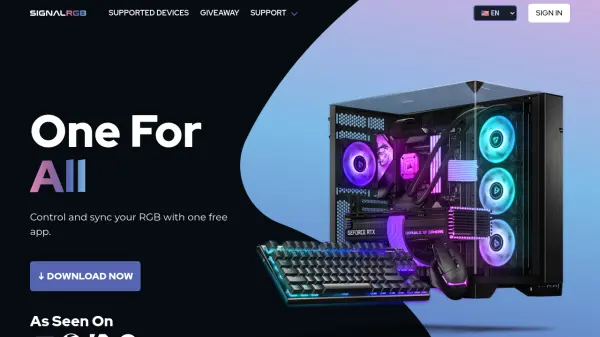
SignalRGB is a unified RGB lighting control application designed to synchronize lighting effects across various gaming peripherals and components from leading brands. The software provides users with a centralized platform to manage their RGB setups, eliminating the need for multiple proprietary applications.
The application offers extensive customization options including reactive game integrations, audio visualizers, and macro automation capabilities. SignalRGB supports PC monitoring and fan control features, allowing users to optimize their system performance while maintaining aesthetic consistency across their entire setup.
Features
- Device Control & Sync: Supports 100+ devices from brands like Razer, Corsair, EVGA, Steelseries, and Logitech
- Game Integrations: Reactive RGB effects triggered by popular games with monthly new integrations
- Audio Visualizers: Synchronizes RGB lighting with any audio source from your computer
- Macros & Automation: Performs various functions including automatic effect launching with game launches
- PC Monitoring & Fan Control: Manages system performance and custom fan curves for temperature control
- Effect Customization: Offers 100+ RGB effects with customization options and presets
Use Cases
- Synchronizing RGB lighting across multiple gaming peripherals from different brands
- Creating immersive gaming experiences with reactive lighting effects triggered by gameplay
- Setting up audio-responsive light shows that sync with computer audio sources
- Automating RGB lighting behaviors through macros for personalized gaming setups
- Monitoring PC performance and controlling fan speeds while maintaining aesthetic lighting
FAQs
-
What devices does SignalRGB support?
SignalRGB supports popular devices from leading brands including Razer, Corsair, EVGA, Steelseries, Logitech, and more with over 100+ supported devices. -
What features are included in SignalRGB Pro?
SignalRGB Pro includes Game Integrations, Macros/Automations, Motherboard Fan Control, PC Monitoring, Premium Lighting Effects, and removes all in-app ads. -
How does the free trial for SignalRGB Pro work?
New users may be eligible for a free Pro trial, which requires entering a valid payment method for verification. Email reminders are sent before the trial ends, and terms and conditions apply. -
How do I cancel my SignalRGB Pro subscription?
You can cancel your Pro plan anytime at signalrgb.com/account. The plan remains active until the next billing date, then switches to the free plan.