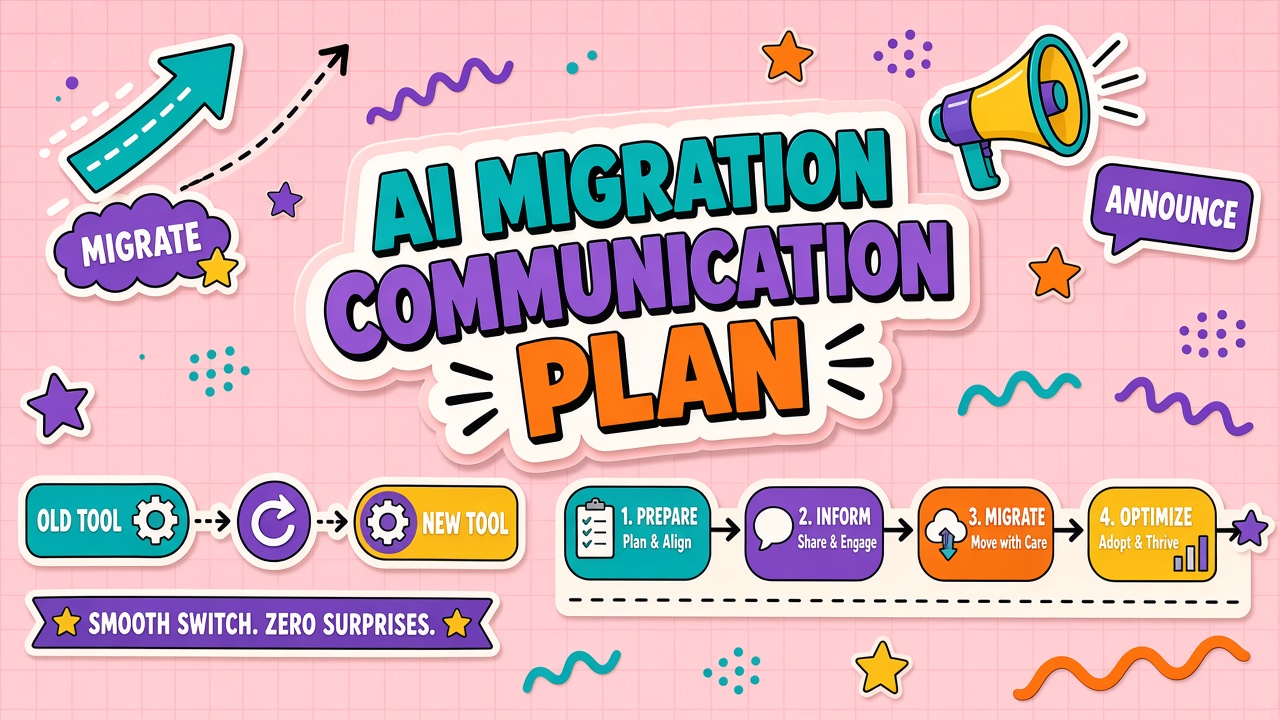
Technical migrations can succeed while adoption fails. Users open the old bookmark, miss export deadlines, or flood help desk on day one because nobody explained why the change happened. An AI tool migration communication plan sequences messages to employees, customers, and partners across pre-migration, cutover week, and post-migration stabilization.
Whether you replace a customer-facing chatbot or an internal productivity assistant, the same stakeholder map and calendar apply. Lead with outcomes, publish hours and support channels, and collect feedback before frustration becomes churn.
Stakeholders: Users, Customers, Partners
List every audience affected by the migration before drafting copy. Internal users need training and policy reminders. Customers need transparency if they interact with the AI surface. Partners need API or integration updates if you expose webhooks or shared workspaces.
Assign a communication owner per audience. Engineering should not write customer emails without product marketing review. Legal should review external statements that mention data handling. Keep a RACI-style chart: who approves, who sends, who answers replies.
Pre-Migration: Why Change, What Improves
Start communications four to six weeks before cutover with the why. Explain drivers: cost, security, model quality, contract end, or feature gaps. Pair each reason with a user benefit: faster responses, better language support, single sign-on, or consolidated billing.
Publish a comparison table: old tool versus new tool for top five workflows. Honest gaps build trust. If the new tool lacks a beloved feature temporarily, say so and give a date or workaround. Sneak migrations breed resistance and shadow tool use.
Identify executive sponsors and department champions as named contacts in pre-migration emails. Users escalate to familiar names faster than generic inboxes. Champions should host optional office hours the week before cutover for workflow-specific questions.
Tailor message depth by audience. Engineers need API diff notes and deprecation dates. Sales needs talk tracks for customer questions. Support needs macro migration steps and escalation paths. One generic all-company email rarely satisfies any group.
| Week | Audience | Message |
|---|---|---|
| T-6 | Internal users | Announcement: why and timeline |
| T-4 | Internal users | Training invites and export deadline |
| T-2 | Customers (if applicable) | Upcoming experience change |
| T-0 | All | Cutover hours and support contacts |
Cutover Week: Hours, Downtime, Help Desk
Cutover communications must include date, time zone, expected downtime, and support channels. Repeat the message on multiple surfaces: email, Slack, in-app banner, and manager talking points. Staff help desk with a FAQ sheet and escalation path to the migration war room.
If customer-facing AI pauses, provide alternative contact methods before downtime starts. Internal migrations should disable old SSO or block old URLs at the same time new access goes live to prevent split-brain usage. Hour-by-hour updates during risky windows reduce rumor traffic.
Post-Migration: Feedback and Fixes
First two weeks after cutover, run daily triage on feedback. Categorize issues: training gap, missing feature, bug, or policy confusion. Close the loop publicly when fixes ship so users see responsiveness. Collect structured feedback via a short form linked from every announcement.
Schedule a retrospective at day thirty with migration lead, support, and department champions. Document what communication landed and what was missed. Update the knowledge base with new workflows the same week, not next quarter.
Measure communication effectiveness with help desk ticket tags, survey pulse scores, and adoption metrics week over week. Spike in "how do I log in" tickets means pre-migration training failed, not that users are resistant. Fix communication before blaming change management.
Migration Communications Calendar Template
Anchor every message to a calendar row: date, audience, channel, owner, approval status, and success metric (attendance, open rate, ticket volume). Review the calendar in weekly migration standups. Delay technical cutover if training communications for a critical audience did not send.
Customer-facing migrations may require status page subscriptions and social monitoring during cutover week. Internal migrations still benefit from a single Slack channel with pinned FAQ and office hours link. Reduce channel sprawl so users know where to look.
Support Channel Setup for Cutover Week
Before cutover: create a dedicated Slack channel or Teams space, pin migration FAQ, assign moderators in each time zone, and link to office hours calendar. During cutover: extend help desk hours, tag tickets with migration label, and publish hourly status updates in the channel. After cutover: merge recurring questions into KB articles and archive the channel after day thirty.
Moderators should route bugs to engineering war room and training gaps to champions. Emotional venting is normal day one; separate product bugs from change fatigue by asking for workflow name and screenshot. Celebrate quick fixes publicly in the channel to show the team listens.
Customer-facing migrations need parallel support paths: status page, in-app banner, and email to affected accounts. Internal playbooks do not translate directly; customers need shorter messages and clear alternative contact methods if chat is down.
Frequently Asked Questions
How do we communicate data export deadlines?
State the deadline in three channels, twice. Explain what exports include and what does not (chat history, custom prompts, analytics). Offer office hours for export help. After deadline, confirm old data retention policy in writing.
Should users have parallel access to old and new tools?
Short parallel windows help training but extend cost and confusion. If offered, cap at two weeks with a hard off date. Communicate that only the new tool is supported after cutover so tickets focus on one stack.
Do customers need to know about backend model changes?
Disclose when customer experience, data handling, or terms change. Pure backend swaps with identical UX may need only status page monitoring. Legal guidance varies by sector; default to transparency when the AI interacts directly with customers.
Should executives send migration messages?
Executive sponsors should sign the first all-company announcement for large migrations. Department leads send workflow-specific follow-ups. Executive visibility signals priority; daily updates should come from the migration lead or support to avoid executive inbox overload.
Prepare executives with a one-page brief: why migrate, timeline, support channels, and what success looks like at day thirty. Executives who improvise on all-hands stages create conflicting dates and promises. Brief them once; let the comms calendar drive consistency.
What if adoption lags after migration?
Run a listening tour week: office hours, survey, and help desk theme review. Communicate fixes weekly until adoption metrics recover. Silent lag breeds rumors that the old tool was better. Transparent improvement loops rebuild confidence faster than pretending cutover solved everything.
Migration success is measured in adoption and ticket quality, not only technical cutover. Communications are the lever that connects engineering completion to daily user behavior. Invest in calendar discipline, executive alignment, and support surge capacity the same way you invest in data migration scripts.
Store communication templates in the knowledge base for the next migration. First migrations are expensive in writing time; repeat migrations reuse calendars and holding statements with minor edits. Each migration should leave the organization better prepared for the next vendor change.
Partners and vendors integrated with your AI stack need their own message track. API consumers require deprecation dates and test environments. Resellers or agencies need brand-safe language if customer-facing copy changes. A single internal email does not cover external dependency risk.
Post-migration feedback loops close the communications plan. Survey at day seven and day thirty. Publish what you fixed based on feedback so users see responsiveness. Migrations fail slowly when comms stop at cutover but product gaps continue for weeks.
Pre-migration messaging must explain why change happens and what improves: cost, security, quality, or contract end. Cutover week needs hours, downtime expectations, and help desk surge plan. Parallel access should be time-boxed with explicit end date. Data export deadlines belong in three channels twice with office hours support.
Stakeholder maps separate users, customers, and partners with distinct message owners. Migration comms calendars list date, audience, channel, and approver for every touchpoint from T-6 through day thirty. Support channel setup includes moderators, tagged tickets, and hourly status during risky cutover windows. Success is measured in adoption and ticket quality, not only technical completion of data migration.
Begin stakeholder mapping before engineering finishes the technical design. Communications lead should attend migration standups to catch date slips early. Users forgive delayed cutover when dates update transparently; they do not forgive silent slips discovered at login failure. Treat migration comms as a workstream equal to data export and SSO cutover, with its own owner, calendar, and success metrics.
Migration communication plans fail when cutover is treated as a technical surprise. Tell users why, when, and where to get help; measure adoption after, not only uptime during the switch.
Stakeholder maps cover users, customers, and partners. Pre-migration explains why and what improves; cutover week publishes hours, downtime, and help desk surge; post-migration collects feedback and publishes fixes. Data export deadlines need three channels and office hours. Parallel access stays time-boxed. Store templates in the knowledge base for the next migration.
Communication owners should attend migration standups so date slips reach users before login failures. Adoption metrics at day seven and day thirty prove whether the plan worked beyond technical cutover success.
Executive sponsors sign the first all-company announcement; migration leads own daily updates. Partner APIs need deprecation notices on their own track. Cutover support channels need moderators and tagged tickets so themes become knowledge base fixes within days.
Review the communications calendar in weekly migration standups and delay cutover if mandatory training messages have not shipped to all audiences before cutover begins.
Migration communications succeed when users understand why the change happens, when cutover occurs, and where to get help before login failures create panic.