Shrtct favicon

Shrtct
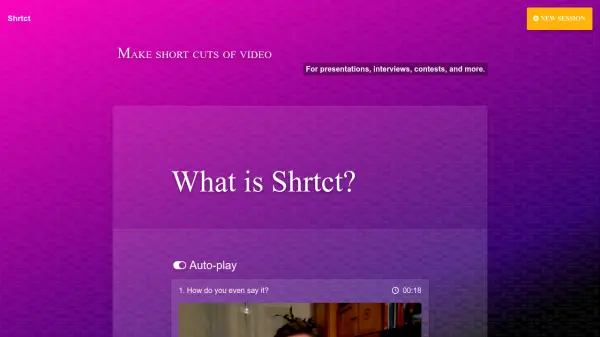
Make short cuts of video for presentations, interviews, contests, and more.

What is Shrtct?

Shrtct is an AI-powered video editing tool designed to help users create short video cuts from their existing content. It allows users to work with their own videos stored on Google Drive, making it convenient for embedding these segments into websites. The tool focuses on generating concise video clips suitable for various purposes such as presentations, interviews, and contests.

Shrtct offers a free version that includes essential features for video segmentation. Users can record new sessions directly to Google Drive, create unlimited segments, and set time limits for their videos. The platform is continuously updated with new technology, and users can request additional features to enhance their experience.

Features

  • Record to Google Drive: Users can record new video sessions directly to their Google Drive for easy access and storage.
  • Unlimited segments: Create as many short video cuts as needed from uploaded videos without restrictions.
  • Set time limits: Define specific time constraints for video segments to ensure concise and focused content.

Use Cases

  • Creating short video clips for business presentations
  • Generating interview highlights for recruitment or media purposes
  • Producing contest entries or promotional video snippets
  • Embedding video segments in websites for enhanced engagement

FAQs

  • How do I start using Shrtct to create video segments?
    Users can record a new session directly to Google Drive or upload existing videos to create unlimited short cuts with set time limits.
  • Can I embed the video segments created with Shrtct on my website?
    Yes, the video segments are designed to be embedded in websites for various uses such as presentations and interviews.
  • What features are available in the free version of Shrtct?
    The free version includes recording to Google Drive, creating unlimited segments, and setting time limits for videos.

Helpful for people in the following professions

Related Tools:

Blogs:

  • Top 6 AI note-taking tools for 2026: in-person, online, and hybrid use cases

    Top 6 AI note-taking tools for 2026: in-person, online, and hybrid use cases

    Most AI note-taking lists are really lists of meeting bots, which join your video call and transcribe it. That's useful, but it's half the picture. Decisions happen in hallway conversations, client dinners, on-site visits, and hybrid rooms where nobody is on a video link. This guide covers different parts of the note-taking workflow: hardware capture for in-person settings, platform-native tools for online calls, and AI layers for organizing and synthesizing what you've captured. It compares six tools by capture context, workflow fit, pricing, and limitations.

  • Top AI tools for Students

    Top AI tools for Students

    These AI tools are designed to enhance the learning experience for students. From personalized study plans to intelligent tutoring systems.

  • Best AI tools for recruiters

    Best AI tools for recruiters

    These tools use advanced algorithms and machine learning to automate tasks such as resume screening, candidate matching, and predictive analytics. By analyzing vast amounts of data quickly and efficiently, AI tools help recruiters make data-driven decisions, save time, and identify the best candidates for open positions.

  • Top AI tools for Teachers

    Top AI tools for Teachers

    Explore the top AI tools designed for teachers, revolutionizing the education landscape. These innovative tools leverage artificial intelligence to enhance teaching efficiency, personalize learning experiences, automate administrative tasks, and provide valuable insights, empowering educators to create engaging and effective educational environments.

Didn't find tool you were looking for?

Be as detailed as possible for better results