What is Shorts?
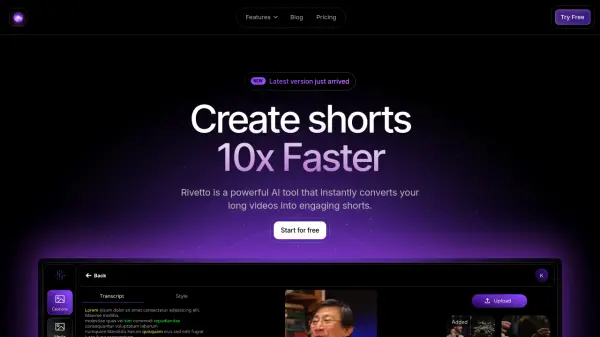
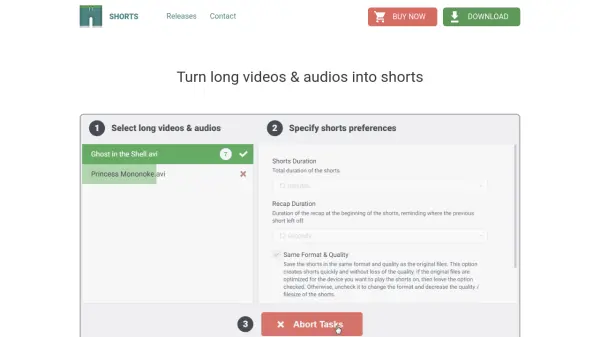
Shorts is an AI tool designed to help users efficiently convert lengthy videos and audio files into shorter, more digestible clips. It enables users to specify their preferred short duration, add recaps for continuity, and optimize content for mobile devices through re-encoding or audio extraction. The tool simplifies the process of creating shorts from existing media, making it ideal for quick breaks without the hassle of manual editing or time management.
With features like customizable clip lengths, recap additions, and format optimization, Shorts ensures that users can enjoy their content seamlessly across different devices. It focuses on user convenience by automating the cutting process, allowing for easy playback and saving storage space on mobile devices by converting videos to MP3 when needed.
Features
- Duration Selection: Choose the length of shorts based on break durations, such as 10, 15, or 30 minutes
- Recap Addition: Add a recap at the beginning of shorts to remind users where the previous clip left off
- Re-encoding: Optimize videos for mobile devices by adjusting format and filesize
- Audio Extraction: Convert videos to MP3 to save space on mobile devices
- Easy to Use: Select files, specify preferences, and push the Make Shorts button for quick processing
Use Cases
- Creating short clips from long educational videos for quick learning sessions
- Converting lengthy podcasts into manageable audio segments for commutes
- Optimizing video content for mobile viewing during breaks
- Extracting audio from videos to save storage on smartphones
- Generating recapped shorts for continuous viewing of series or lectures
FAQs
-
What platforms is Shorts available for?
Shorts is available for Windows 7 or later, with other platforms potentially supported as indicated on the homepage. -
How do I start using Shorts to create shorts?
Select long videos and audios on your computer, specify shorts preferences such as duration, and push the Make Shorts button. -
Can I adjust the length of the shorts created by Shorts?
Yes, you can choose the length of the shorts based on your break durations, such as 10, 15, or 30 minutes. -
Does Shorts support adding recaps to the shorts?
Yes, you may add a recap at the beginning of the shorts to remind where the previous short left off. -
Can Shorts optimize videos for mobile devices?
Yes, if the format or filesize doesn't fit your mobile device, you can re-encode it with Shorts for optimization.