What is Sheet SMS?
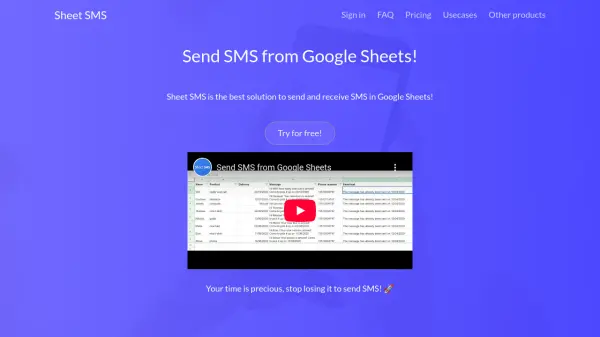
Sheet SMS is a powerful Google Sheets add-on that allows users to send and receive SMS straight from their spreadsheets, eliminating the need to use separate messaging platforms. By integrating custom formulas such as SENDSMS and SCHEDULESMS, users can easily compose, schedule, and dispatch messages to multiple recipients without leaving Google Sheets.
This tool supports various advanced features, including message scheduling for optimized communication, response tracking, dedicated numbers for calls, and the option to use a custom sender name. Designed for efficiency and flexibility, Sheet SMS is especially useful for businesses, educators, and service providers who need to quickly communicate with large groups directly from their workflow.
Features
- Custom Google Sheets Formulas: SENDSMS and SCHEDULESMS for easy messaging
- SMS Scheduling: Schedule SMS to be sent at a later time directly from the sheet
- Custom Sender Name: Send SMS with a personalized sender identity
- Response Handling: Receive replies to track and manage communication
- Dedicated Number for Calls: Option to send, receive, and forward calls
- Pay-as-you-go Pricing: Flexible payment based on usage
- Bulk Messaging: Quickly send messages to multiple recipients
- Call Forwarding: Calls can be forwarded directly to your phone
Use Cases
- Sending appointment reminders to patients from a medical spreadsheet
- Contacting delivery drivers for logistics updates
- Notifying students about class schedules and changes
- Distributing event announcements to attendees
- Managing customer communications for sales or support
- Coordinating staff notifications for shift planning
FAQs
-
What formulas are available with Sheet SMS?
Sheet SMS introduces SENDSMS and SCHEDULESMS formulas for sending and scheduling SMS messages directly from Google Sheets. -
Can I choose a custom sender name for my messages?
Yes, Sheet SMS allows users to set a custom sender name when sending SMS, providing a personalized communication experience. -
How does pricing work for sending SMS?
Sheet SMS operates on a pay-as-you-go model, with prices starting at $0.05 per SMS, and costs may vary depending on the country. -
Is it possible to receive SMS responses in Google Sheets?
Yes, Sheet SMS supports receiving responses, enabling users to track and manage communications directly within their spreadsheet.