What is Sassafras?
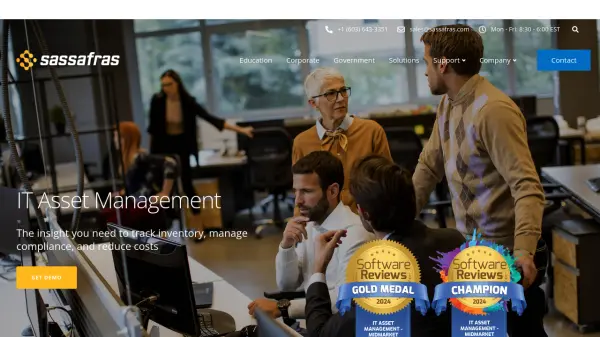
Sassafras offers a comprehensive IT Asset Management suite designed to help organizations track hardware and software inventory, manage license compliance, and reduce IT costs. The platform provides automated discovery of hardware attributes and installed software applications across Windows, Mac, and Linux machines, including virtual and thin-client environments.
The solution includes hardware lifecycle management from purchase to disposal, live availability maps with geographic and floorplan views, detailed usage reporting for software applications and user activities, and software compliance tools that reconcile purchase records with license management policies. Sassafras supports flexible deployment options with customization capabilities and integrates with existing technology platforms through REST API, ODBC, JDBC, and various connectors.
Features
- Automated Inventory: Automatic discovery of hardware attributes and installed software applications across Windows, Mac, and Linux machines
- Hardware Tracking: Full lifecycle management of IT hardware from purchase order to disposal with detailed tracking capabilities
- Availability Maps: Geographic and floorplan maps showing computer usage and availability across campuses or offices
- Usage Reporting: Detailed reporting on OS logins, software application launches, and user-defined cloud-product usage
- License Management: Automated control of software usage based on license agreement terms with support for various license metrics
- Software Compliance: Reconciliation of purchase records with license management policies to maintain compliance
- Flexible Architecture: Customization options and integration capabilities with REST API, ODBC, JDBC, and various connectors
Use Cases
- Tracking IT hardware and software inventory across educational institutions
- Managing software license compliance and reducing licensing costs in corporate environments
- Monitoring computer usage and availability in government agencies
- Generating audit-ready compliance reports for software installations
- Integrating IT asset data with existing technology platforms like Active Directory and ServiceNow
FAQs
-
What types of operating systems does Sassafras support?
Sassafras supports Windows, Mac, and Linux machines, including virtual and thin-client environments. -
How does Sassafras handle software license management?
Sassafras provides software policies that give automated control over who, when, and where applications can be used based on license agreement terms, supporting concurrent use, device, user, and leased licensing. -
Can Sassafras integrate with existing technology platforms?
Yes, Sassafras offers flexible integration capabilities including REST API, ODBC, JDBC, Excel exports, and connectors for platforms like TeamDynamix, ServiceNow, PaperCut, and Active Directory. -
What reporting formats does Sassafras support?
Sassafras supports Excel, PDF, text, XML, and dynamic KSR export formats for all reports. -
How does Sassafras track hardware assets?
Sassafras manages hardware from purchase order to disposal, tracking hardware properties, login details, software installations, and usage events throughout the lifecycle of each unit.