What is Salesflare?
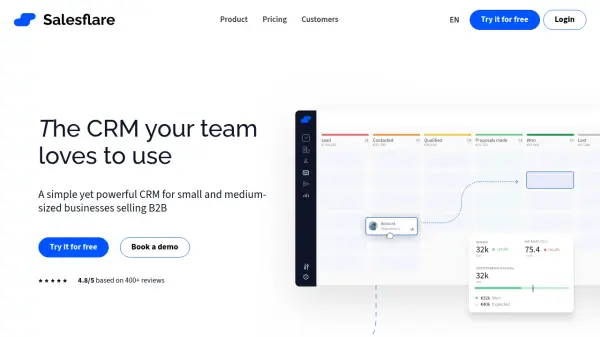
Salesflare offers a Customer Relationship Management (CRM) solution specifically tailored for small and medium-sized businesses operating in the B2B sector. It aims to simplify sales processes by automating data input and tracking interactions. The system automatically gathers contact and company information from various sources like emails, email signatures, and social profiles, while also logging meetings and phone calls. This automation reduces manual administrative tasks, allowing sales teams to focus more on building relationships and closing deals.
The platform integrates seamlessly with common business tools such as Gmail, Outlook, and LinkedIn, providing features directly within these interfaces. It includes capabilities for tracking email opens, link clicks, and website visits, offering insights into lead engagement. Salesflare facilitates team collaboration by providing a centralized view of customer interactions and sales pipelines, enhancing transparency and enabling better coaching opportunities. It also incorporates AI-driven suggestions and relationship intelligence to help teams understand connections and improve customer interactions.
Features
- Automated CRM Data Input: Automatically gathers contact/company info from emails, signatures, social profiles, etc.
- Email & Web Tracking: Tracks email opens, link clicks, and website visits.
- Sales Pipeline Management: Visual drag-and-drop interface for managing leads.
- Email Integration: Works within Gmail and Outlook inboxes.
- LinkedIn Integration: Provides a sidebar for use directly within LinkedIn.
- Automated Email Sequences: Send personalized email workflows at scale.
- Relationship Intelligence: Unlocks relationship metrics and team connections.
- AI Suggestions: Provides AI-driven prompts and insights.
- Lead Finder: Built-in tool to find new business leads.
- Mobile App: Full-featured CRM access on iOS and Android devices.
- Customizable Dashboards: Allows creation and customization of reporting dashboards.
Use Cases
- Automating sales data entry for B2B teams.
- Tracking lead engagement through email and website activity.
- Managing sales pipelines visually.
- Sending automated, personalized email follow-up sequences.
- Finding new B2B leads directly within the CRM.
- Improving sales team collaboration and transparency.
- Integrating CRM functionalities with existing email (Gmail/Outlook) and LinkedIn workflows.
- Analyzing sales performance with customizable reports.
FAQs
-
How do I get my team to use Salesflare?
You can invite your team members via email from within Salesflare. Setup takes a few minutes. Once set up, team members continue their usual email and meeting activities, and Salesflare automatically captures this information. -
Can I purchase Salesflare for just one month?
Yes, Salesflare offers both monthly and annual billing options. Monthly pricing is slightly higher than the annual plan. -
Is there a charge for onboarding?
No, onboarding assistance, including potential one-on-one training sessions for your team, is provided free of charge. -
Are there limits on contacts or other features?
Salesflare does not impose hidden limits on the number of contacts, users, email templates, tracked emails, sent emails, custom fields, workflows, dashboards, or sales pipelines. -
What happens when my free trial ends?
You will be notified via email before the trial ends. If you decide to subscribe, you can continue using the same account with all the data added during the trial. -
What is the cancellation policy?
You can cancel your plan at any time, and billing will stop immediately. There are no long-term contracts or requirements to notify months in advance.