
What is Salarybook Hours Tracker?
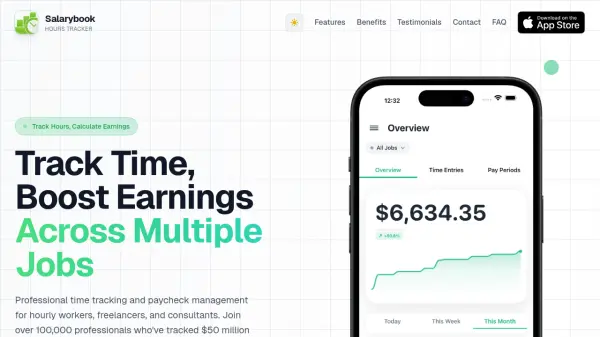
Salarybook Hours Tracker is a comprehensive mobile application that provides professional time tracking and paycheck management solutions for hourly workers, freelancers, and consultants. The tool allows users to track hours across multiple jobs with verified accuracy, manage unlimited jobs with different hourly rates, and calculate earnings in real-time. It includes features such as smart overtime calculation, detailed reports with export capabilities, and visual charts for income analytics.
The app supports flexible scheduling with automatic break calculations and offers instant notifications and reminders to help users stay organized. It works completely offline and includes iOS widgets for convenient access to worked hours and earned amounts. Salarybook Hours Tracker is designed to streamline workflow and enhance productivity by providing an intuitive interface for managing time and earnings efficiently.
Features
- Multiple Jobs & Pay Rates: Manage unlimited jobs with different hourly rates and track tips, commissions, and extra earnings separately
- Detailed Reports & Export: Export timesheets via email or CSV and view charts and reports for any period to track earnings trends
- Smart Overtime Calculation: Automatically calculate overtime rates daily or weekly with custom rates and thresholds for accurate pay calculations
- Real-Time Earnings Calculation: View income by day, week, month, or year with beautiful charts and detailed breakdowns as hours are tracked
- Offline Functionality: Work completely offline to track hours anywhere, anytime, with backup options to Dropbox for extra security
Use Cases
- Tracking hours for multiple freelance jobs with different pay rates
- Managing payroll calculations for hourly workers
- Generating timesheets for invoicing clients
- Monitoring earnings trends with visual analytics
- Setting reminders for work shifts and time entries
FAQs
-
How do I set up email to send timesheet overviews?
If there is no email account set, open Settings on your iPhone, tap Mail, then Accounts, and add your email provider (e.g., Outlook, Gmail, iCloud) by entering your address and password. -
How do I change the currency in the app?
The currency is based on your device's regional settings. Go to Settings > General > Language & Region, select Region, and choose the country to display the associated currency (e.g., USD for United States).