What is RosterBird?
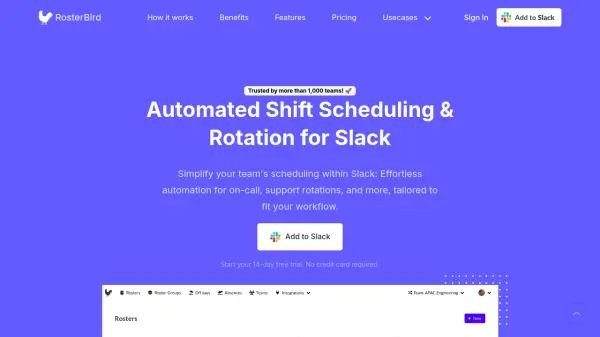
RosterBird is an automated scheduling solution designed to streamline team coordination within Slack. It automates shift assignments for on-call duties, support rotations, and other scheduling needs, tailored to fit various workflows. The tool integrates seamlessly with Slack and Google Calendar, providing automated notifications and centralized communication to keep teams aligned and informed.
With features like absence management, holiday setup, and API access, RosterBird reduces manual scheduling efforts, improves accountability, and maximizes time efficiency. It offers flexible scheduling intervals, team grouping, and user group integration, making it ideal for managing complex rotations and enhancing overall team productivity.
Features
- Automated Schedules: Automate shift assignments with daily, weekly, bi-weekly, or monthly intervals.
- Absence Management: Add team member absences to automatically exempt them from schedules across custom date ranges.
- Holiday Management: Set up holidays at organization or roster levels to automatically schedule around them.
- Google Calendar Integration: Sync schedules and assignments to Google Calendar for easy access and reminders.
- API Access: Use on-demand APIs to build custom integrations and access roster information.
- Teams and User Groups: Group rosters and members into teams with independent admin management and use Slack user groups for dynamic notifications.
Use Cases
- On-Call Duties
- Scrum Meetings
- Deployment/Release Management
- Support Rotations
- Team Shift Planning
FAQs
-
How do I use RosterBird with Slack?
When you sign up, the RosterBird bot is automatically installed to your Slack team. You can interact with it by searching for @rosterbird in Slack to create rosters, view assignments, and receive notifications. -
How is billing calculated for users?
Billing is based only on members explicitly invited to RosterBird from your team. For example, if you invite 50 out of 350 Slack members, you'll be billed for those 50, and you can add or remove members at any time. -
Can I use RosterBird without a Slack account?
Currently, RosterBird requires a Slack team to function, but the platform is actively working on expanding to other platforms in the future. -
How long is the free trial period?
RosterBird offers a 14-day free trial with all features available. No credit card is required during the trial, and you can choose to subscribe after it ends. -
What happens if I cancel my subscription?
If you cancel, your account will be deactivated, and all rosters will be paused. You can resume by resubscribing.