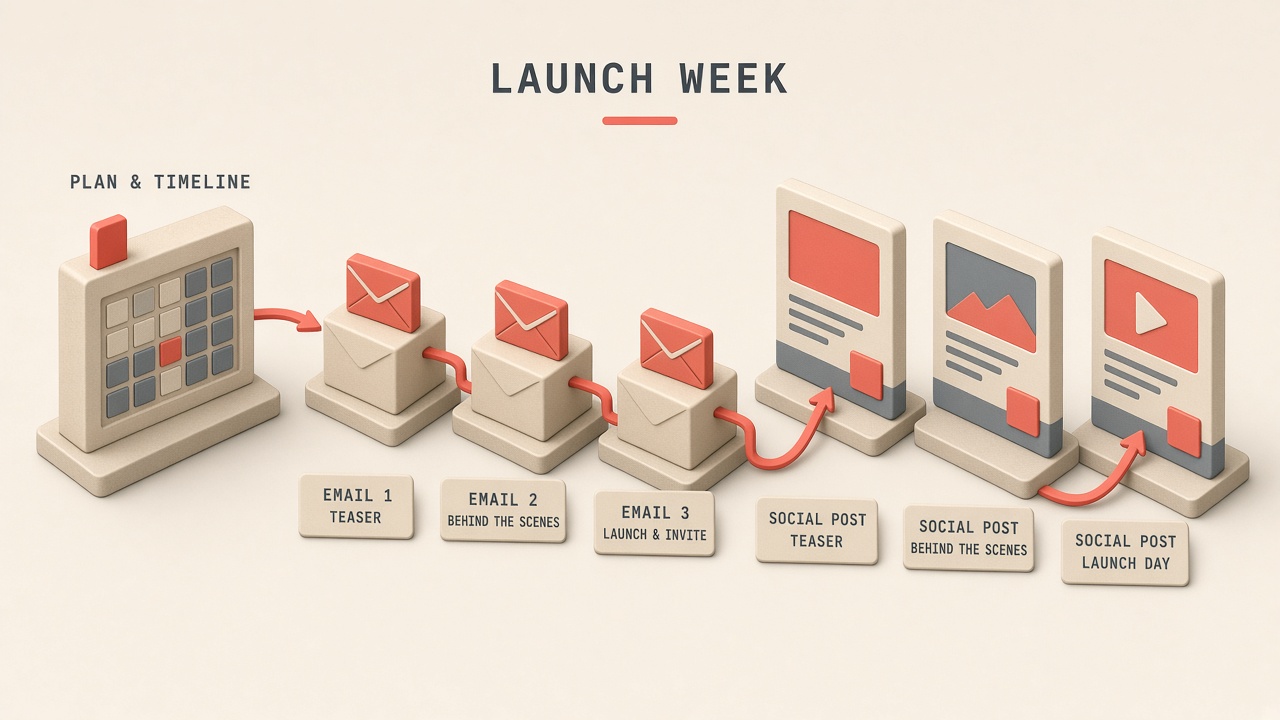
Product launches for creators blend storytelling, scarcity, and audience trust built over years. A scattered posting schedule burns goodwill when the offer changes mid-week or income claims slip past legal review. An ai workflow creator product launch pipeline plans the timeline from teaser to last call, drafts email sequence beats and segment variants, maps social posts to email themes, reserves objection-handling slots, and holds compliance review for income and results claims before send. AI accelerates variant writing; you verify pricing, bonuses, deadlines, and every statement that could trigger FTC or platform ad policy issues.
This guide fits course creators, template sellers, SaaS affiliates, and authors running preorder campaigns. Pair sequence planning with AI chatbot tools for audience FAQ simulation and AI writing tools for subject lines and body copy drafts you edit against your compliance checklist.
Launch Timeline From Teaser to Last Call
Map the full launch calendar from teaser announcement through cart open, mid-launch proof, objection handling, bonus deadline, and last-call close so every channel knows which beat runs on which day. Most creator launches span 5 to 14 days; longer windows need fresh angles so fatigue does not flatten conversion.
- Pre-launch (7 to 14 days before): waitlist, problem agitation, behind-the-scenes build story.
- Launch day: cart open email plus live or short-form announcement.
- Days 2 to 4: transformation stories, curriculum or feature walkthrough, social proof.
- Days 5 to 7: objection emails, FAQ live, bonus stack reminder.
- Final 48 hours: last call sequence with real deadline enforcement.
| Phase | Primary goal | Email count | Social touchpoints |
|---|---|---|---|
| Teaser | Build waitlist intent | 1 to 3 | Stories, short tease clips |
| Open cart | Drive first-day sales | 1 to 2 | Live, pinned post, reel |
| Mid-launch | Educate and prove value | 2 to 4 | Testimonial clips, carousels |
| Last call | Close fence-sitters | 2 to 3 | Countdown stories, reminder posts |
Lock offer details (price, payment plan, bonus end date, refund policy) in a single source-of-truth doc before AI drafts any copy. Changing bonuses after emails send creates support debt and trust damage worse than a delayed launch.
Email Sequence Beats and Segments
Each email beat serves one job (announce, educate, prove, overcome objection, urgency) and segments adjust copy for waitlist subscribers, past buyers, and cold list members who never opened prior launches. The ai workflow creator product launch email layer generates variants per segment while you keep one approved facts block every draft must reference.
- Segment: engaged waitlist, unengaged waitlist, past customers, affiliate traffic, organic new subs.
- Beat types: story, mechanism, proof, objection, FAQ, deadline.
- Subject line batch: generate 5 options per email; pick 2 for A/B if ESP supports it.
- Preview text must match body promise; no bait subject on compliance-sensitive offers.
- Schedule send times from past open-rate data, not generic "Tuesday 10am" myths.
| Beat | Core message | Segment tweak |
|---|---|---|
| Cart open | Offer summary plus link | Past buyers: upgrade path |
| Case study | Student or customer result | Use relatable niche per segment |
| Objection | Time, money, or fit concern | Cold list: more context on who it is for |
| Last call | Real deadline, cart closes | Opens-only segment: shorter reminder |
SMS and DM Supplements
SMS and DM reminders can lift last-day conversion but need shorter copy, explicit opt-in, and the same verified pricing as email. AI drafts ultra-short variants; you confirm character limits and carrier compliance before scheduling.
Social Posts Mapped to Email Themes
Align each social post in launch week to the active email beat so followers who ignore inbox still see consistent messaging without contradictory bonuses or deadlines. A theme map row links email subject, social hook, visual asset, and CTA destination.
- Build a grid: day, email beat, Instagram/TikTok/YouTube community post, asset status.
- Repurpose email proof into carousel slides or short clips with same testimonial permission.
- Stories carry countdown stickers only when deadline is real and enforced in cart.
- YouTube community posts: question prompts that feed objection content for next email.
- Pause evergreen promo posts during launch to avoid audience confusion.
| Email theme | Social format | Reuse rule |
|---|---|---|
| Problem story | Talking-head reel or story sequence | Same hook, shorter cut |
| Curriculum reveal | Carousel module breakdown | Match module names to sales page |
| Testimonial | Quote graphic or clip | Written permission on file |
| Last call | Countdown story plus feed reminder | Same cutoff time as email |
Objection-Handling Content Slots
Reserve dedicated slots in the launch calendar for the top three objections (no time, too expensive, not sure it fits me) with email, social, and live Q&A content that answers each without dismissing the concern. AI drafts empathy-first copy from your FAQ; you add real constraints (workload, prerequisites) instead of vague reassurance.
- Survey waitlist or parse prior launch support tickets for objection frequency.
- One email per major objection; avoid cramming all rebuttals into one long message.
- Live or async Q&A: collect questions 24 hours before; AI cluster duplicates.
- Address "I need to think about it" with decision criteria, not pressure tactics.
- Link refund policy and support response time where money objections appear.
| Objection | Content angle | Proof type |
|---|---|---|
| No time | Minimum viable weekly schedule | Student time-log case study |
| Too expensive | ROI framing, payment plan | Cost of inaction comparison |
| Wrong fit | Who it is not for section | Prerequisite checklist |
Compliance Review for Income Claims
Every draft mentioning income, results, health outcomes, or "typical" student success must pass manual compliance review against FTC endorsement guides and platform ad policies before scheduling. AI tends to sharpen claims; your job is to soften, qualify, or remove statements you cannot substantiate with documented evidence.
- Facts block: price, guarantee terms, bonus list, end date, substantiated result examples only.
- Ban list: "guaranteed," "everyone," "passive income overnight," unsubstantiated dollar amounts.
- Require "results vary" or equivalent where outcomes are shown.
- Screenshot testimonials: confirm permission and date; blur sensitive data.
- Affiliate or partner revenue: disclose relationship in email footer and social captions per FTC.
| Claim type | Review action | Documentation |
|---|---|---|
| Revenue screenshot | Verify authentic, dated, yours or permitted | Source file in launch folder |
| Student income claim | Written testimonial release | Signed form or email consent |
| Health or fitness outcome | Legal review if regulated niche | Disclaimer block approved |
Post-Launch Follow-Up Sequence
After cart close, send buyer onboarding emails separate from non-buyer nurture so purchasers get access instructions while fence-sitters receive a respectful close loop or future waitlist invite. AI drafts both tracks from the same facts block; never email buyers with "last chance" copy after they paid.
Launch Asset Checklist
Before scheduling, confirm sales page, checkout links, email automations, social assets, and support macros all reference the same offer ID and deadline. A single wrong link in the launch-day email is more costly than a one-day delay for final QA.
- Test purchase in sandbox or live with refund ready.
- UTM parameters consistent across email and social for attribution.
- Support inbox template for password, payment failed, and refund requests.
- Affiliate swipe copy reviewed if partners promote simultaneously.
Metrics Review During Launch Week
Review open rates, click-through, conversion, refund requests, and social sentiment daily during launch so you can swap underperforming email beats or add a live Q&A without waiting until cart close. AI can summarize metrics into plain-language alerts; you decide whether to add an objection email or extend a bonus deadline based on facts in your locked offer doc.
- Morning dashboard: email sends, sales count, top support tickets.
- Compare segment performance; pause emails to buyers immediately.
- Log creative changes in launch tracker for next retrospective.
Frequently Asked Questions
How long should a creator product launch run?
Five to seven days fits many digital offers; higher-ticket or complex programs may need 10 to 14 days with mid-launch education, but extend only when you have distinct daily angles. Artificial urgency that repeats every month trains audiences to wait.
Can AI write all launch emails without editing?
AI should draft beats and variants; you must edit for voice, compliance, and offer accuracy on every send. Treat AI output as a first draft tied to your locked facts block, not publish-ready copy.
Should I run live launches or evergreen funnels?
Live launches concentrate proof and community energy; evergreen funnels suit stable offers with continuous acquisition costs. Many creators alternate: live launch for major version, evergreen for entry offer.
How do I avoid audience fatigue during launch week?
Vary format (story, proof, teaching, Q&A), respect unsubscribe intent, and segment so buyers stop receiving sales emails after purchase. Theme mapping prevents repeating the same hook on six channels the same day.
Launch With One Timeline, Many Drafts
A practical ai workflow creator product launch practice maps teaser-to-last-call timelines, segments email beats, aligns social to email themes, dedicates objection slots, and runs compliance on income claims before anything sends. AI multiplies variant speed; your verified offer details and legal judgment protect trust. Build the theme map for your next launch before you write subject line one.