What is RawTherapee?
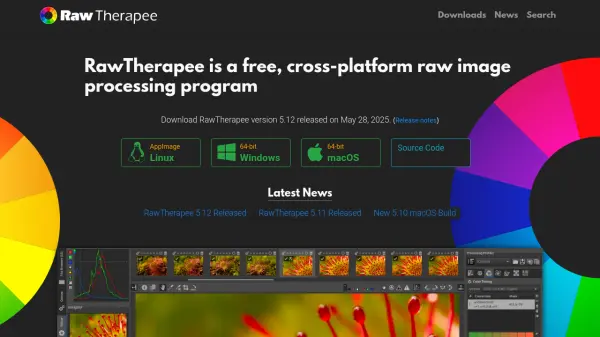
RawTherapee is a robust, open-source software for raw image processing and photo development, available across Linux, macOS, and Windows. It provides an advanced 32-bit processing engine and modern demosaicing algorithms to ensure high image quality. Targeted at everyone from photography enthusiasts to professionals, the platform supports a broad range of digital cameras and delivers a suite of powerful editing features, including advanced color management and detail enhancement tools.
The software enables non-destructive raw file editing, maintaining the original file integrity while allowing comprehensive adjustments. RawTherapee excels in outstanding raw support, including dual demosaicing algorithms, compositing pixel-shift raw files, automatic ghost masking, hot/dead pixel correction, and more. The community-driven project includes thorough documentation to help users maximize its capabilities, underscoring its dedication to free software and global accessibility.
Features
- High Image Quality: 32-bit floating point engine and modern demosaicing algorithms produce exceptional photo outputs.
- Non-Destructive Editing: Allows for comprehensive adjustments to raw files without altering the original images.
- Outstanding Raw Support: Supports a wide range of cameras, dual demosaicing, pixel-shift compositing, ghost masking, and pixel correction.
- Cross-Platform Compatibility: Runs on Linux, macOS, and Windows systems.
- Open Source Freedom: Distributed under GPLv3, with source code available for modification and contribution.
- Advanced Color and Detail Editing: Provides sophisticated control for color grading and image detail enhancement.
- Internationalization: Available in over 15 languages for global accessibility.
Use Cases
- Developing and editing raw photos from digital cameras.
- Enhancing color, dynamic range, and detail in high-resolution images.
- Correcting hot, dead, or stuck pixels in camera raw files.
- Compositing multi-frame or pixel-shift images to improve image quality.
- Applying non-destructive adjustments for professional photography workflows.
FAQs
-
Is RawTherapee available for free?
Yes, RawTherapee is completely free and open-source, distributed under the GPLv3 license. -
Which operating systems are supported by RawTherapee?
RawTherapee is available for Linux, macOS, and Windows platforms. -
Does RawTherapee support non-destructive editing?
Yes, RawTherapee enables non-destructive editing to ensure the original raw files remain unaltered during post-processing. -
Is documentation and community support available?
Yes, comprehensive documentation and a helpful user community are available for RawTherapee users.