What is Radiant Photo 2?
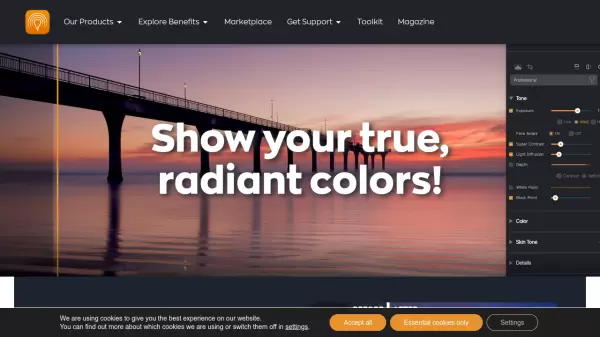
Radiant Photo 2 is an innovative photo editing software that harnesses Assistive AI technology to deliver professional-quality results. The software employs the Perfectly Clear engine, processing over 140 million images daily, to provide intelligent image correction without relying on cloud processing or generative AI.
The application offers both standalone and plugin versions for major editing platforms, featuring smart content recognition, perfect color rendition, and customizable workflows. It maintains user privacy by processing all edits locally while providing comprehensive tools for color grading, portrait enhancement, and detail optimization.
Features
- Smart AI Recognition: Automatically identifies image content and applies optimal settings
- Local Processing: All edits processed on device for privacy and speed
- Perfect Color Rendition: Corrects poor colors and color casts for true-to-life results
- Customizable Workspaces: Task-based interfaces tailored to specific workflows
- Portrait Enhancement: Complete suite of portrait and skin tools
- Multiple Format Support: Available as standalone app and plugin for major editing platforms
- Radiant Detail: Creates sharp, clear photos without artifacts
- Workflow Optimization: Genre-specific workflows for portraits, landscapes, pets, and birds
Use Cases
- Landscape Photography
- Portrait Photography
- Macro Photography
- Concert Photography
- Wildlife Photography
- Batch Photo Processing
- Professional Photo Lab Editing
- Wedding Photography
FAQs
-
Is Radiant Photo both a standalone application and plugin?
Yes. It works both as a stand alone application and a plugin for Adobe Photoshop and Adobe Lightroom Classic. -
What happened to Perfectly Clear Complete?
Perfectly Clear Complete is now Radiant Photo. It is handled by Radiant Imaging Labs and powered by the all-new Perfectly Clear Engine, which continues to be available for licensing. -
Will updates be free?
Most features and updates are included with the perpetual license. Future paid upgrades will be optional and can be tried for free before purchasing.