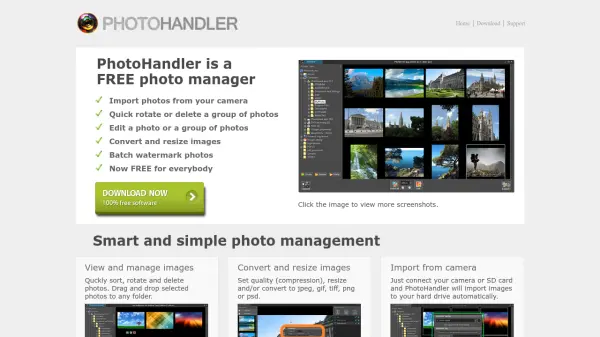
What is PhotoHandler?
PhotoHandler is a versatile and free photo management tool designed to simplify the way you handle your digital images. It offers a suite of features for importing photos from cameras, quick sorting and deletion, and advanced editing capabilities. The software includes AI-driven automatic enhancement, adjustments for gamma, brightness, and contrast, and supports a wide range of file formats including RAW camera files.
With batch processing, users can apply edits, conversions, resizing, and watermarking to multiple photos at once. The watermarking feature supports text, image logos, and crossing lines with customizable effects such as shadow, opacity, and blending modes. PhotoHandler runs on Windows and is completely free for everyone.
Features
- AI Auto Enhance: Automatically improves photo quality with a single click.
- Batch Processing: Edit, convert, resize, rotate, or delete multiple photos simultaneously.
- Watermarking: Add text, image logos, or crossing lines with shadow, opacity, and blending effects.
- RAW File Viewer: Import and view most RAW camera file formats.
- Image Conversion: Convert and resize images to JPEG, GIF, TIFF, PNG, or PSD formats.
- Camera Import: Automatically import photos from connected cameras or SD cards.
Use Cases
- Organizing and editing large collections of photos efficiently.
- Applying consistent watermarks to protect copyright on images.
- Batch converting and resizing images for web or print.
- Quickly enhancing and correcting colors in photographs.
- Viewing and managing RAW files from professional cameras.
FAQs
-
Is PhotoHandler completely free?
Yes, PhotoHandler is completely free for everyone. -
What operating systems does PhotoHandler support?
PhotoHandler supports Windows XP, Vista, 7, 8, and 10, both 32-bit and 64-bit. -
Can I import photos directly from my camera?
Yes, you can connect your camera or SD card and PhotoHandler will automatically import images to your hard drive. -
Does PhotoHandler support RAW files?
Yes, PhotoHandler is able to import and view most types of RAW camera files.