What is PhotoKit?
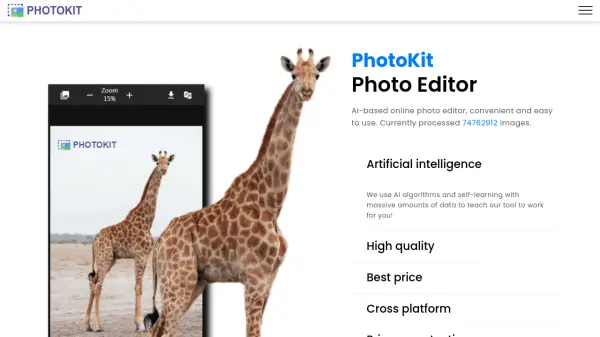
PhotoKit provides an AI-based online photo editing experience designed for ease of use. It utilizes advanced AI algorithms, trained on extensive datasets, to deliver high-quality image editing results accessible even to users with basic skills. The platform operates entirely online, eliminating the need for downloads or installations, and is accessible through modern web browsers across various operating systems like Android, Mac, and iOS.
PhotoKit integrates a comprehensive suite of editing tools. Users can perform tasks such as enhancing photo quality, retouching portraits, automatically removing backgrounds, erasing unwanted objects with a smart brush, correcting exposure issues, and applying various effects and filters. Additionally, it supports batch processing for tasks like resizing, cropping, compressing, converting, and watermarking multiple images (including png, jpg, gif, bmp, tiff, and RAW formats) simultaneously.
Features
- AI Background Removal: Automatically removes 100% of the background in seconds with fine edge details.
- AI Object Removal (Inpaint): Magically delete unwanted objects, watermarks, wrinkles, and blemishes using a smart brush.
- AI Image Clarity Enhancement: Improves image quality, sharpens details, and enhances recognition effects.
- AI Exposure Correction: Automatically adjusts brightness and contrast for optimal image exposure.
- Batch Image Processing: Process multiple images at once for resizing, cropping, compression, conversion, watermarking, filtering, etc.
- Comprehensive Online Photo Editor: Includes tools for basic edits (crop, resize, rotate), enhancements, retouching, effects, collages, and more.
- Cross-Platform Accessibility: Use online via modern browsers on Windows, Mac, Linux, iOS, and Android without installation.
- Privacy Protection: Server does not save user pictures and data.
Use Cases
- Removing backgrounds from product photos for e-commerce.
- Deleting unwanted objects or people from personal photos.
- Enhancing the clarity and quality of website images or social media posts.
- Correcting overexposed or underexposed photographs.
- Batch resizing and compressing images for web use.
- Quickly retouching portraits by removing blemishes or wrinkles.
- Adding watermarks to multiple images simultaneously.
- Creating photo collages online.