What is Rambox?
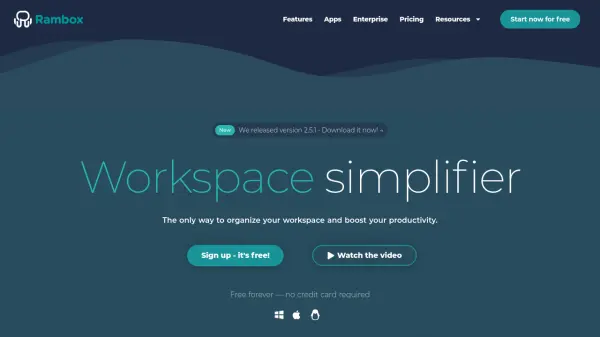
Rambox empowers users to consolidate and manage all their web applications within a single, intuitive workspace. Tailored for individuals and teams aiming to maximize productivity, Rambox supports the integration of unlimited apps, custom application support, real-time synchronization, and advanced notification management. The tool provides a cross-platform experience for Windows, macOS, and Linux, making it an accessible solution for diverse business and personal needs.
With features such as customizable workspaces, focus mode, quick search, and support for third-party extensions—including password managers and grammar checkers—Rambox simplifies daily workflows. Business users benefit from centralized billing, custom branding, and team management capabilities, making Rambox an efficient choice for both organizations and individuals seeking to streamline digital work environments.
Features
- Customizable Workspaces: Configure your layout to suit the way you work.
- Unlimited App Integration: Add and manage as many applications as you need.
- Notification Management: Control and centralize notifications with a dedicated center.
- Focus Mode: Pause notifications and sounds to enhance concentration.
- Cross-Platform Support: Available for Windows, macOS, and Linux.
- Extensions: Integrate add-ons like grammar and password managers.
- Team Management: Easily onboard and manage teams with enterprise features.
- Centralized Billing: Simplify payments with unified invoicing for organizations.
- Real-time Synchronization: Ensure updates and changes are reflected instantly across devices.
- Quick Search: Effortlessly switch between applications or locate content instantly.
Use Cases
- Streamlining communication and productivity tools in one interface.
- Managing multiple social media, messaging, or productivity apps.
- Centralizing business and personal workflows for remote teams.
- Facilitating onboarding and management of employee app access in organizations.
- Enhancing focus by controlling notifications and minimizing distractions.
FAQs
-
Can I switch from one plan to another?
Yes, you can change your plan at any time from the Billing section to immediately access the features of the selected plan. -
How long does the free trial for the Pro version last?
Rambox offers a 30-day free trial for the Pro version, with no credit card required. -
Can I use Rambox on multiple computers?
Yes, Rambox can be used on multiple computers. The Basic plan allows 1 active session, while Pro and Enterprise allow up to 3 active sessions. -
Can I cancel my subscription at any time?
Yes, you can cancel your subscription anytime via the Billing section in the app or through the billing portal. -
Does Rambox have a lifetime license option?
Yes, users can purchase a lifetime license for the Pro version with a single payment.