What is RaiDrive?
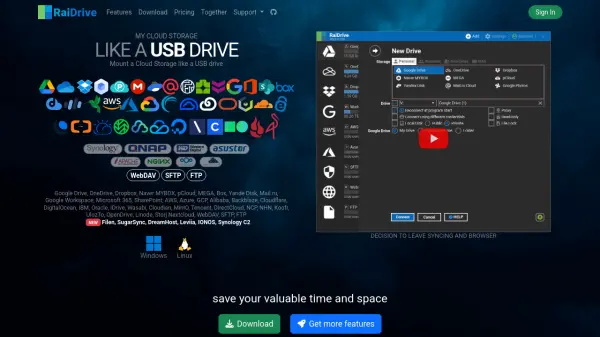
RaiDrive is a productivity solution that allows users to seamlessly integrate multiple cloud storage providers such as Google Drive, OneDrive, Dropbox, and many others with their Windows and Linux desktop environments. The tool mounts cloud, FTP, SFTP, and WebDAV storage services as local drives, making them accessible through the native file explorer as if they were physical USB drives.
With RaiDrive, users gain the flexibility to read, write, copy, move, and manage cloud-based files without traditional syncing or web browser reliance, saving both time and local device space. The platform supports several advanced features including bandwidth control, file access monitoring, sharing on local networks, license sharing, and file locking for secure collaboration. Its user-friendly interface and robust compatibility make it suitable for individuals, professionals, and teams seeking efficient file management across distributed storage services.
Features
- Cloud Drive Mounting: Integrate major cloud storage services as local drives
- Multi-Protocol Support: Connects via WebDAV, FTP, SFTP, and various cloud APIs
- Writable and Read-Only Modes: Flexible file access according to storage type
- Network Drive Functionality: Access storage over network as mapped drives
- Bandwidth Control: Manage network usage when accessing cloud storage
- File Access Monitoring: Track and log access to stored files
- File Lock: Prevent overwriting of files during collaborative work
- License Sharing: Facilitate team usage under single license
- Local Disk Features: Mount storage as physical disks, share over local network
- Email and Forum Support: Multiple support channels for troubleshooting
Use Cases
- Access and manage cloud files from desktop like a local drive
- Consolidate multiple cloud storage services into a unified workspace
- Enable secure and efficient team collaboration on shared files
- Perform bandwidth-intensive file operations with control and monitoring
- Mount remote storage locations for backup or file transfer purposes
- Use cloud storage for local network sharing in an office environment
- Simplify workflows that require no local syncing of online data
FAQs
-
Which operating systems does RaiDrive support?
RaiDrive currently supports Windows and Linux operating systems. -
Can I access multiple cloud storage accounts simultaneously?
Yes, RaiDrive allows mounting multiple cloud storage accounts at the same time. -
Is there a free plan available with RaiDrive?
RaiDrive offers a free plan with limited mounting and support for major cloud storage providers. -
Does RaiDrive require syncing files locally?
No, RaiDrive enables direct access and management of cloud files without local synchronization. -
What protocols are supported for remote storage?
RaiDrive supports a wide range of protocols including WebDAV, SFTP, FTP, and APIs for popular cloud storage providers.