What is Radzen?
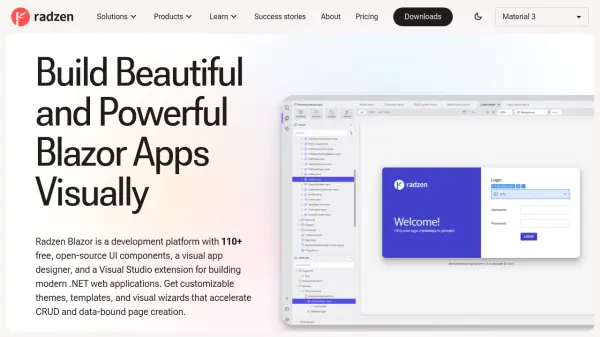
Radzen provides a complete development environment for building Blazor applications with visual tooling and extensive component libraries. The platform includes Radzen Blazor Studio for visual app design, Radzen Blazor for Visual Studio extension for integrated development, and Radzen Blazor Components offering 110+ native UI controls.
The solution accelerates development through data scaffolding, CRUD operation automation, and seamless integration with databases and REST services. Developers can create responsive, production-ready applications with customizable themes, templates, and built-in wizards while maintaining full code access and avoiding vendor lock-in.
Features
- Visual App Designer: Drag-and-drop editor with full code access for designing application screens
- Component Library: 110+ free native Blazor UI components including DataGrid, Scheduler, and Charts
- Data Integration: Connect to MSSQL, MySQL, PostgreSQL, Oracle, SQLite, REST APIs, and OData services
- CRUD Automation: Streamlined data operations with advanced DataGrids and configuration wizards
- Theme Customization: Multiple design systems including Material, Fluent, and custom theming options
Use Cases
- Building internal business tools and enterprise applications
- Creating customer-facing web portals and e-commerce platforms
- Modernizing legacy desktop applications to web-based solutions
- Developing educational tools for teaching computer science and web development
- Prototyping and rapidly deploying production-ready applications
FAQs
-
What databases does Radzen support?
Radzen Blazor Studio supports MSSQL, MySQL, PostgreSQL, Oracle, and SQLite databases, along with connections to REST APIs, OData, and OpenAPI services. -
Does Radzen require JavaScript for development?
No, Radzen uses C# and Blazor technology, allowing developers to build full-stack web applications without writing JavaScript, with UI components implemented entirely in C#. -
What is the difference between Radzen and Radzen Blazor Studio?
Radzen refers to the overall platform including components and tools, while Radzen Blazor Studio specifically is the visual app designer software with different editions offering varying feature sets. -
How many developer seats are included in different plans?
The Community edition includes 1 seat, Professional includes 1 seat, and Team includes 3 developer seats, with options to contact for additional seats.