What is Plasmic?
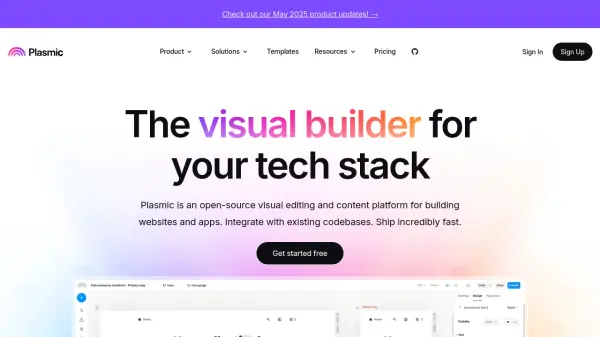
Plasmic is a powerful visual editing and content platform designed to accelerate the development of websites, SaaS apps, internal tools, storefronts, and customer portals. It supports seamless integration with existing codebases, enabling both developers and non-developers to collaborate in building custom user experiences with responsive layouts and interactive components.
The platform offers robust features such as a ready-made component library, Figma-to-code conversion, rich data and app integrations, fine-grained permissions, and enterprise-grade scaling capabilities. With options for on-premise deployment, custom branding, and comprehensive access controls, Plasmic serves organizations ranging from individual creators to large enterprises seeking efficient, scalable, and customizable digital solutions.
Features
- Drag-and-Drop Builder: Quickly construct interfaces with a visual, no-code environment
- Codebase Integration: Seamlessly ties into existing development workflows and codebases
- Data Source Connectivity: Built-in connectors for sources like Supabase, Shopify, Contentful, HTTP, or GraphQL APIs
- Figma to Code: Imports Figma designs directly and converts them to production-ready React code
- Headless CMS: Manage unlimited content types and entries for various digital experiences
- Fine-Grained Access Controls: Assign specific permissions within Plasmic and connected applications
- Branching and Collaboration: Enables multiplayer mode, branching, and streamlined team workflows
- Enterprise Features: Includes SSO, domain capture, whitelabeling, and on-premise deployment
- Shared Libraries: Centralized asset management and cross-project reuse
- Custom Component Support: Developers can register and reuse React components as building blocks
Use Cases
- Designing and launching marketing websites with custom UI elements
- Developing internal business tools or admin panels with real-time data
- Integrating storefronts with third-party e-commerce solutions and APIs
- Collaborating between product, marketing, and development teams to accelerate app delivery
- Transforming Figma prototypes into live responsive web applications
- Managing and deploying content for SaaS platforms at scale
- Implementing customer portals integrated with secure authentication and data sources
FAQs
-
What is a workspace?
A workspace in Plasmic is an environment where projects and collaborators are organized, helping teams manage their web assets efficiently. -
How are page views counted in Plasmic?
Page views are measured by the number of times published pages created with Plasmic are loaded by users each month. -
Is Plasmic secure?
Plasmic complies with SOC 2 standards and offers enterprise security features such as SSO, domain capture, and fine-grained access controls for safe information handling. -
What does the Plasmic badge mean on the free plan?
On the free plan, a Plasmic badge appears on every project to indicate usage of the free tier.