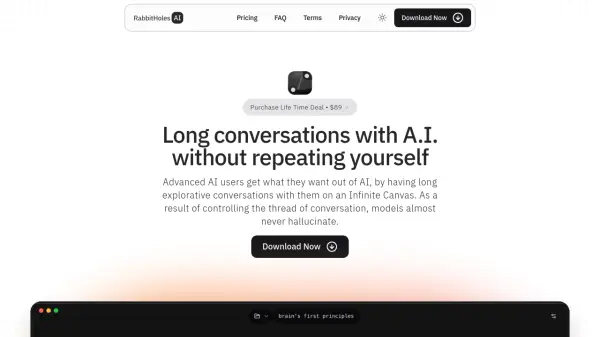
What is RabbitHoles AI?
RabbitHoles facilitates extended, in-depth dialogues with AI on an innovative Infinite Canvas platform. This approach allows users to maintain context throughout the conversation, eliminating the need for repetitive explanations and fostering a more fluid exchange of ideas.
The platform supports branching conversations, enabling users to explore multiple paths and tangents in a single session. By offering compatibility with any OpenAI™ compatible AI provider, RabbitHoles grants users the flexibility to leverage various models within a unified conversational thread, catering to the specific demands of each inquiry.
Features
- Infinite Canvas: Enables long and explorative AI conversations.
- Branching Conversations: Explore multiple paths in a single conversation.
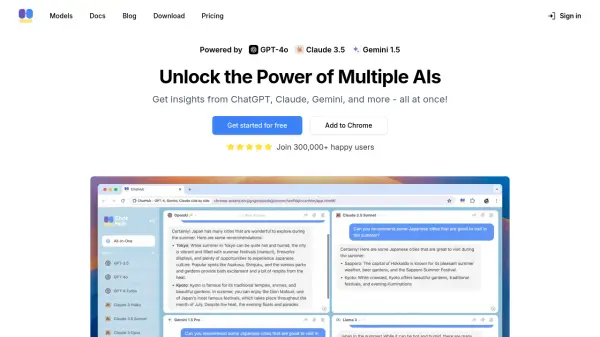
- Multi-Model Support: Use multiple AI models in a single thread.
- Bring Your Own API Keys: Compatible with any OpenAI™ compatible AI provider.
- Spatial Thinking: Visualize and organize complex conversational threads.
- Saved Locally: All Your work will be saved locally
Use Cases
- In-depth research on complex topics.
- Exploring multiple perspectives on a single issue.
- Developing and refining AI-generated content.
- Facilitating collaborative brainstorming sessions.
- Learning and knowledge acquisition through interactive dialogue.
FAQs
-
What is an Infinite Canvas?
The website does not explicitly define what an Infinite Canvas is in the context of their tool, it refers to interface that allow users to create multiple branches, and explore more. -
What are the different AI models I can use?
You can use any OpenAI™ compatible AI provider. This includes models from OpenAI, Anthropic, Google, etc. -
Can I control the system prompt and model settings?
Yes, you can control the system prompt and model settings. -
What are API Keys, and why do I need to bring them myself?
API keys are credentials that allow RabbitHoles to access AI models from providers like OpenAI, Anthropic, and Google. You need to bring your own API keys because the service does not provide them; you are responsible for managing your own access to these AI providers.