PseudoPen favicon

PseudoPen
Your Most Reliable Pseudo-Graphical Sidekick!

What is PseudoPen?

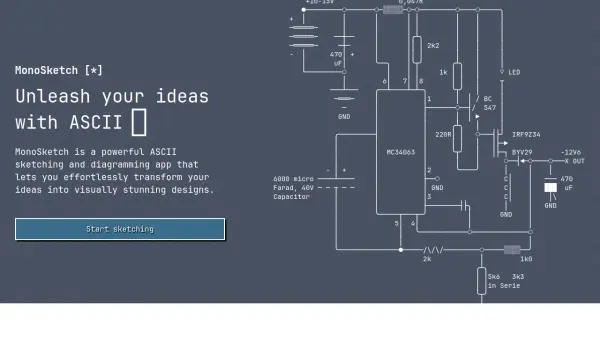
PseudoPen is an online platform designed to enhance plain text files, batch scripts, or software code by adding pseudo-graphical elements. It utilizes a variety of symbols, including ASCII characters, block elements, box-drawing characters, and symbols for legacy computing, to create visual embellishments such as diagrams, arrows, and flowcharts. The tool operates entirely online, eliminating the need for downloads and providing a convenient solution for users looking to improve the visual appeal of their text-based content.

By leveraging monospace fonts and code page 850 symbols, PseudoPen enables users to create detailed pseudo-graphical designs directly within their text files. This makes it particularly useful for developers, writers, and professionals who require enhanced visual representations in their documentation or code without relying on complex graphical software. The tool's focus on simplicity and accessibility ensures that users can quickly generate and integrate these elements into their work.

Features

  • Online Tool: No downloads required for use
  • Pseudo-Graphical Elements: Adds diagrams, arrows, and ASCII art to text
  • Symbol Library: Includes block elements, box-drawing characters, and legacy symbols
  • Monospace Font Support: Ensures consistent formatting in text files
  • Code Page 850 Compatibility: Uses symbols for legacy computing environments

Use Cases

  • Embellishing plain text files with visual elements
  • Creating diagrams and flowcharts in batch scripts
  • Adding ASCII art and symbols to software code
  • Enhancing documentation with pseudo-graphical designs
  • Improving visual appeal in text-based projects

Related Tools:

Blogs:

  • Chat with PDF AI Tools

    Chat with PDF AI Tools

    Easily interact with your PDF documents using our advanced AI-powered tool. Whether you're reading lengthy reports, research papers, contracts, or eBooks, our platform lets you chat directly with your PDF files, ask questions, extract insights, and get summaries in real-time.

  • Best AI Tools For Startups

    Best AI Tools For Startups

    we've compiled a straightforward list of user-friendly AI tools designed to give startups a boost. Discover practical solutions to streamline everyday tasks, enhance productivity, and gain valuable insights without the need for a tech expert. Learn where and how these tools can be applied in your startup journey, from automating repetitive tasks to unlocking powerful data analysis. Join us as we explore the features that make these AI tools accessible and beneficial for startups in various industries. Elevate your business with technology that works for you!

  • Top 6 AI note-taking tools for 2026: in-person, online, and hybrid use cases

    Top 6 AI note-taking tools for 2026: in-person, online, and hybrid use cases

    Most AI note-taking lists are really lists of meeting bots, which join your video call and transcribe it. That's useful, but it's half the picture. Decisions happen in hallway conversations, client dinners, on-site visits, and hybrid rooms where nobody is on a video link. This guide covers different parts of the note-taking workflow: hardware capture for in-person settings, platform-native tools for online calls, and AI layers for organizing and synthesizing what you've captured. It compares six tools by capture context, workflow fit, pricing, and limitations.

Didn't find tool you were looking for?

Be as detailed as possible for better results