What is Pseudocode Online Editor?
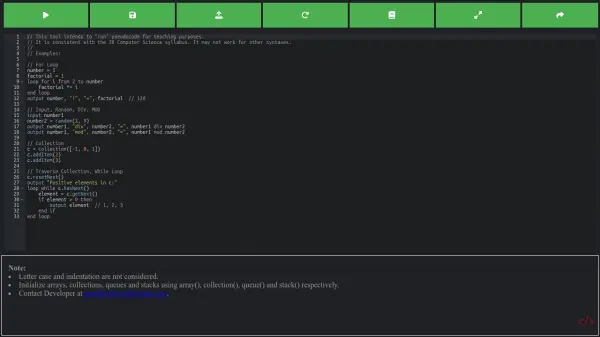
This online editor provides a comprehensive environment for writing and managing pseudocode. It offers a range of tools designed to enhance productivity and streamline the development process. With features such as dynamic syntax highlighting, the editor helps users to easily write and debug their algorithm implementations.
The platform allows users to save their work and access it from any device, ensuring that no code is lost. The newly added pseudocode compiler functionality lets you test and execute your written pseudocode to verify its correctness.
Features
- Syntax Highlighting: Dynamic highlighting for keywords, functions, data types, and conditionals.
- Code Saving: Save your pseudocode and access it from any device.
- Pseudocode Compiler: Test and verify your pseudocode with a built-in compiler.
- Error Highlighting: Quickly identify and fix errors in your pseudocode.
- Light and Dark Mode: Switch between light and dark themes for optimal viewing.
Use Cases
- Developing algorithms with clear, concise pseudocode.
- Debugging and testing pseudocode logic.
- Saving and managing pseudocode projects.
- Learning and practicing pseudocode writing.
- Collaborating on pseudocode development.
FAQs
-
What does the editor include?
The Pseudocode text editor includes features such as Syntax highlighting, this highlights the keywords such as "Function" or "Sub", just like all your favourite IDEs do! This helps you debug and write your code! We also have 2 different styles, light mode and dark mode! Light mode can be enabled by using the switch below the editor! -
Do I have to pay to use this?
Nope! In-fact it is completely free to use! That is the best bit. Nobody should have to pay for tools online, so we decided to make it free to use. Just open up our site in your browser and get straight to coding! It is that simple! Our hosting and running costs are supported by ads, allowing the editor to stay free! -
Why did you make this?
We love programming just as much as the next person, but we never found a good way to write pseudocode! After years of writing in notepad and other basic text editors, we decided to try and find a dedicated pseudocode editor, we never found one. That is when we decided to make one ourselves! So here you are, the internet's first browser-based pseudocode editor/IDE that can be used completely free of charge! -
Is this a pseudocode generator?
This is just a pseudocode editor, not a pseudocode generator. This is a very sought for application however, and we know a lot of our users would like some kind of pseudocode generator, so we will look into making it one of our permanent features.