What is Prulu?
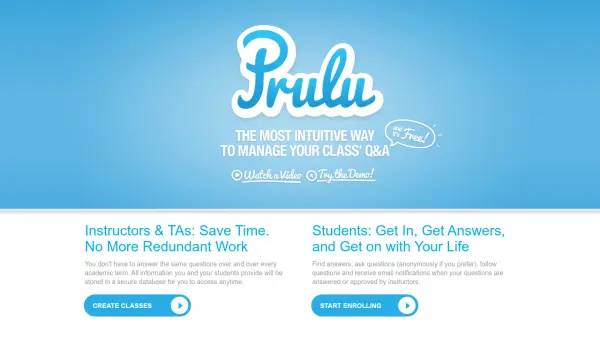
Prulu provides a modern solution for academic Q&A and class management by integrating with existing Learning Management Systems (LMS). The platform allows instructors to save time by avoiding redundant work, as all information and student interactions are stored in a secure database for easy access. Students benefit from quick answers, anonymous question posting, and email notifications for updates on their queries.
The tool features a simple, intuitive interface designed based on user-friendly websites, along with a smart search engine with autocomplete for efficient information retrieval. Instructors can upload resources, make announcements, and monitor class participation through detailed statistics. Prulu supports various LMS platforms including Blackboard, Sakai, Canvas, and Moodle, ensuring seamless integration without requiring separate logins.
Features
- Smart Search: Quickly find answers with autocomplete functionality
- Email Notifications: Receive alerts when questions are answered or updated
- Class Stats: Monitor student participation and activity in discussions
- Resources Sharing: Upload and share syllabus, files, and links with students
- Vote on Answers: Allow classmates to vote on responses to identify the best solutions
Use Cases
- Replacing outdated discussion boards in Learning Management Systems
- Managing class Q&A efficiently for instructors and teaching assistants
- Enabling students to ask questions anonymously and receive timely answers
- Sharing course materials and announcements with students
- Monitoring student engagement and participation in academic discussions
FAQs
-
Which LMS platforms are compatible with Prulu?
Prulu works with various LMS platforms including Blackboard, Sakai, Canvas, Angel, Moodle, Desire2Learn, Jenzabar, and others. -
Is Prulu FERPA compliant?
Yes, Prulu is FERPA compliant, ensuring student data privacy and security. -
How do users access Prulu within their LMS?
Users simply log into their LMS, click on the Prulu link to launch it, and are automatically enrolled with appropriate roles without needing separate credentials.