What is PrivacyDoc?
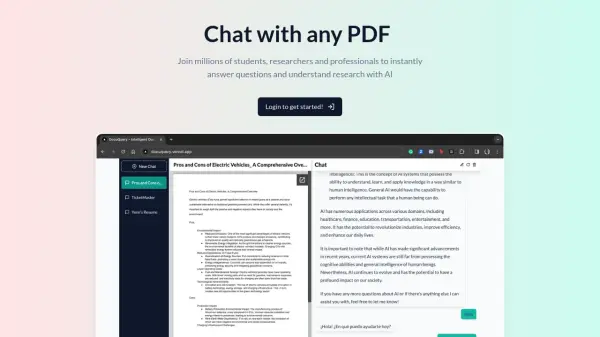
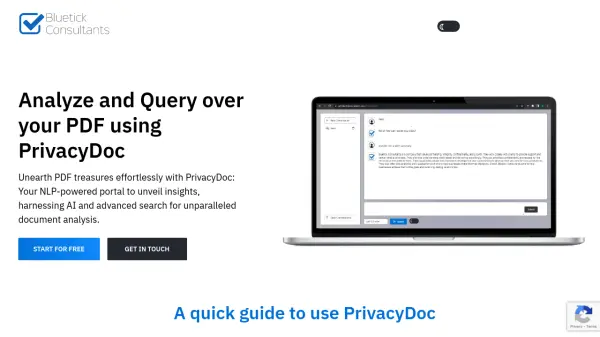
PrivacyDoc is a cutting-edge PDF analysis platform that leverages generative AI technology to help users extract valuable insights from their documents. The tool offers a streamlined, secure approach to document analysis, allowing users to upload various file formats including PDFs, ebooks, TXT, CSV, and JSON files.
With a strong focus on security and privacy, PrivacyDoc ensures that all uploaded files are automatically deleted upon user logout, and no data is stored permanently. The platform features Google account integration for seamless login, powerful query capabilities, and comprehensive text analysis functions, all available completely free of charge.
Features
- Secure File Handling: Automatic deletion of files after logout
- Easy Authentication: Google account integration for simple login
- Multiple Format Support: Handles PDF, ebooks, TXT, CSV, and JSON files
- AI-Powered Analysis: Advanced query processing and response generation
- Data Privacy: No permanent storage of uploaded files
- File Size Support: Handles documents up to 10MB
- Text Analysis: Provides summaries and data extraction capabilities
Use Cases
- Analyzing scientific papers and research documents
- Processing academic articles and books
- Extracting information from training materials
- Querying technical manuals and documentation
- Summarizing PDF content
FAQs
-
What file types does PrivacyDoc support?
PrivacyDoc supports multiple file formats including PDF, ebooks, TXT, CSV, and JSON files. -
What is the maximum file size limit?
The maximum file size limit is 10MB per PDF/E-Book. -
How does PrivacyDoc handle data privacy?
PrivacyDoc automatically deletes all uploaded files when users log out and doesn't store any data permanently. -
How do I login to PrivacyDoc?
Users can login easily using their Google account, no separate account creation is required.