

What is Privacy.com?
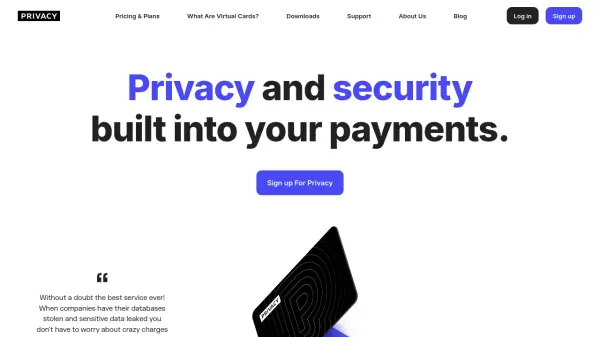
Privacy.com enables users to generate unique, anonymized virtual payment cards to protect sensitive financial information during online transactions. Each Privacy Card masks your real debit or credit card number, providing an added layer of security, and can be locked to specific merchants or set as single-use to minimize risk from fraud or breaches.
Users benefit from extensive controls, including budget tracking, customizable spending limits, and immediate card pausing or closing. Privacy.com meets high security standards, being PCI-DSS compliant and using 256-bit encryption, and offers flexible plans for individuals and professionals seeking advanced card management, cashback, and fee-free international purchases.
Features
- Virtual Cards: Instantly generate anonymized card numbers for secure online payments.
- Merchant Locking: Lock cards to a specific merchant for added security.
- Single-Use Option: Create cards that automatically close after one transaction.
- Spend Limits: Set transaction, monthly, annual, or total spend restrictions.
- Card Pausing/Closing: Pause or permanently deactivate cards at any time.
- Category-Locked Cards: Lock cards to predefined budget categories.
- Card Sharing: Share virtual cards safely with family or employees.
- Priority Support: Access to faster customer service on higher plans.
- Cashback: Earn 1% cashback on qualifying transactions (Pro & Premium plans).
- No Foreign Transaction Fees: Shop internationally without extra charges on select plans.
Use Cases
- Securing online purchases with masked payment details
- Managing recurring subscriptions to prevent unauthorized charges
- Protecting financial data from data breaches and fraud
- Controlling spending by setting limits on virtual cards
- Safely sharing payment methods with family or employees
- Shopping internationally without foreign transaction fees
- Creating single-use cards for one-time payments
- Organizing expenses using category-locked cards
FAQs
-
What is a Privacy Card?
A Privacy Card is a virtual card that masks your actual payment information and can be used to make purchases online or over the phone, providing enhanced privacy and security. -
Does using Privacy.com affect my credit score?
No, Privacy.com does not conduct a credit pull and using Privacy Cards will not impact your credit score. -
Who can use Privacy.com?
Privacy.com is available to U.S. citizens or legal residents with a checking account at a U.S. bank or credit union, and users must be at least 18 years old. -
How does Privacy.com make money?
Privacy.com collects transaction fees from merchants, similar to other card companies, and does not sell customer data. -
Is Privacy.com safe to use?
Yes, Privacy.com is PCI-DSS compliant, SOC 2 Type II certified, and uses 256-bit encryption to protect customer data.