What is PrintOnly?
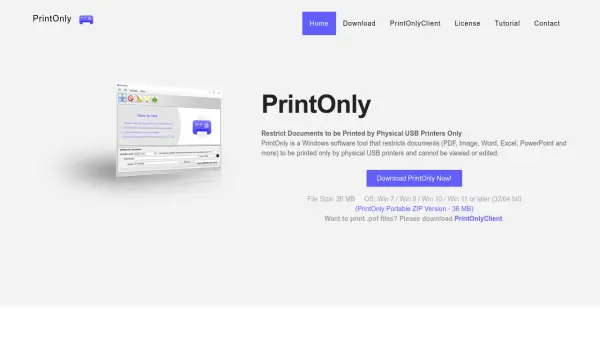
PrintOnly is a specialized Windows software solution developed to enhance document security by restricting printing privileges exclusively to physical USB printers. Tailored for organizations and individuals who require stringent control over document distribution, PrintOnly supports a wide range of popular file formats, including PDF, MS Word, Excel, images, and more. The software utilizes a proprietary .POF file format that is immune to viewing or editing, allowing protected files to be printed only when authorized using the companion PrintOnlyClient application.
With features such as print restriction to physical devices, customizable print limits per computer, document expiration settings, and watermark support, PrintOnly ensures comprehensive protection against unauthorized access, copying, or modification of sensitive information. Administrators benefit from the ability to track and enforce strict document handling policies, making this tool indispensable for maintaining confidentiality and compliance in document workflows.
Features
- Physical Printer Restriction: Ensures documents are only printed through physical USB printers, blocking virtual printer access.
- Print Count Limitation: Allows setting the maximum number of times a document may be printed per computer.
- Document Expiration: Enables administrators to set expiration dates for document printing eligibility.
- Watermark Support: Applies watermark text for enhanced traceability and security.
- Protected File Format: Converts files into .POF format that cannot be viewed or modified.
- Multi-Format Support: Accepts a wide variety of document types including PDF, DOCX, XLS, PPT, JPG, PNG, and more.
Use Cases
- Protecting confidential business documents from being copied or modified.
- Limiting exam or test paper distribution to authorized physical printers in educational institutions.
- Ensuring contracts or sensitive legal documents are only printed securely within a company.
- Restricting sensitive financial reports to authorized office printers.
- Distributing documents with a set print limit and expiration to external partners.
FAQs
-
What file formats does PrintOnly support?
PrintOnly supports a wide range of document formats, such as PDF, Microsoft Word, Excel, PowerPoint, various image types (JPG, PNG, BMP, TIFF, PSD), TXT, RTF, CSV, ODF, ODT, ODS, and ODP. -
How does PrintOnly secure documents?
PrintOnly uses a proprietary .POF file format, which cannot be viewed or edited and can only be printed directly to a physical USB printer using the PrintOnlyClient application. -
Can I set a limit on the number of times a document can be printed?
Yes, PrintOnly allows you to limit the number of print instances per computer to prevent unauthorized or excessive printing. -
Does PrintOnly support document watermarks?
Yes, PrintOnly supports adding watermark text to printed documents for additional security and traceability. -
On which operating systems does PrintOnly work?
PrintOnly is compatible with Windows 7, Windows 8, Windows 10, Windows 11, and later (both 32 and 64 bit).