What is PreviewMyProfile?
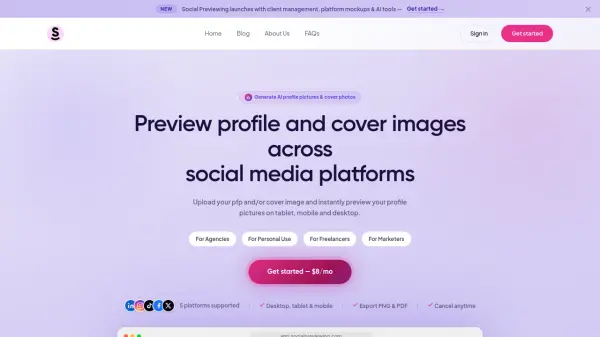
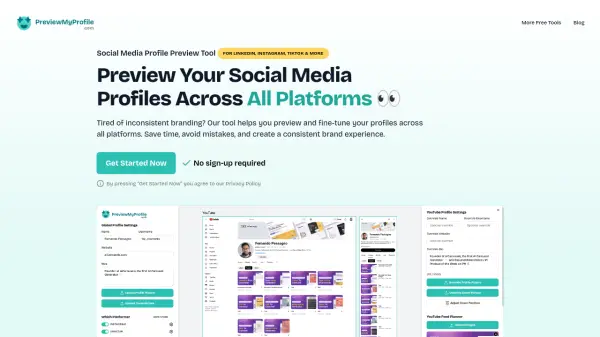
PreviewMyProfile empowers individuals and businesses to maintain a cohesive and professional image across all their social media accounts. The tool allows users to preview and tailor every element of their profiles—including bios, profile and cover photos, and feed layouts—for platforms like Instagram, TikTok, LinkedIn, YouTube, Facebook, and more. Real-time updates and side-by-side comparisons make it easy to adjust profiles for a consistent appearance, while platform-specific customizations ensure bios and images adhere to each network’s requirements.
Advanced features let users fine-tune details such as Instagram highlights, TikTok video covers, and LinkedIn’s About and Featured sections, all without the need for sign-up or payment. Users can switch between dark and light modes, check platform bio character limits with instant alerts, and download all previews in a single ZIP file for sharing with teams or clients. PreviewMyProfile is built to help job seekers, content creators, small agencies, and branding enthusiasts take control of their digital first impression—quickly and efficiently.
Features
- Multiple Platform Previews: Preview Instagram, LinkedIn, TikTok, YouTube, Facebook, and more simultaneously.
- Smart Bio Limits: Instantly alerts users when profile bios exceed platform-specific character limits.
- Cover Photo Positioning: Adjust, offset, and zoom cover images to achieve ideal alignment.
- Dark & Light Modes: Switch between modes to see how profiles appear in different themes.
- One-Click Download: Download all profile previews in a single ZIP file for easy sharing.
- Platform-Specific Customization: Tailor profiles with detailed control for each platform.
- Instagram Feed & Highlights Preview: Upload, drag, and reorder feed posts and highlights.
- TikTok Feed Preview: Upload video covers and rearrange thumbnails for optimal visual flow.
- LinkedIn Section Preview: Edit 'About Me' and Featured sections with image uploads.
- YouTube Channel Preview: Upload thumbnails and check video titles for optimal presentation.
Use Cases
- Refining personal social media branding for job hunting.
- Previewing and optimizing influencer or content creator profiles before publishing changes.
- Ensuring branding consistency across multiple client accounts for small agencies.
- Testing the appearance of bio and profile images on different platforms.
- Downloading and sharing profile previews with team members or stakeholders.
- Arranging and perfecting Instagram, TikTok, or YouTube feeds for cohesive aesthetics.
FAQs
-
What platforms does PreviewMyProfile support?
PreviewMyProfile supports Instagram, LinkedIn, TikTok, YouTube, Facebook, X, Threads, Bluesky, and more for comprehensive profile previews. -
Is sign-up or payment required to use PreviewMyProfile?
No sign-up or payment is required; the tool is 100% free with no hidden fees. -
Can I customize the appearance of my profiles for each platform individually?
Yes, PreviewMyProfile offers platform-specific customization so you can tailor each profile element to match network requirements and preferences. -
Does the tool support both personal and business accounts?
Yes, PreviewMyProfile supports both personal and business profiles for all major platforms. -
Can I download my profile previews to share with others?
Absolutely, all profile previews can be downloaded together as a ZIP file for easy reference or team collaboration.