
What is POSbistro?
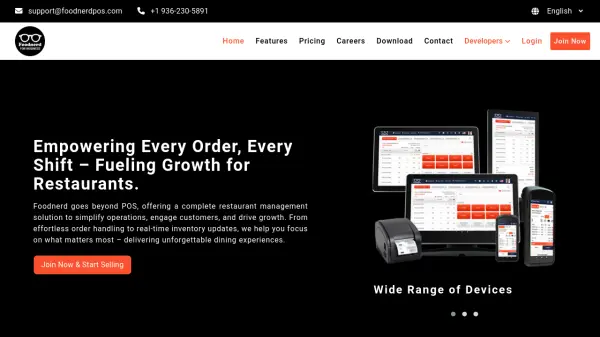
POSbistro provides restaurant owners with a complete management solution that integrates various aspects of food service operations. The system automates order processing from multiple channels including in-person, phone, and online platforms while facilitating kitchen communication through dedicated interfaces.
Inventory management features track product usage and costs automatically, helping businesses optimize food and beverage expenses. The platform includes staff management tools with automated time tracking, permission controls, and performance reporting capabilities to support team management and motivation systems.
Features
- Virtual All-in-One Cash Register: Combines three devices into one modern solution for streamlined payment processing
- Kitchen Communication System: Facilitates order management and communication between front-of-house and kitchen staff
- Inventory Management: Automatically tracks product usage and costs to optimize food and beverage expenses
- Staff Management: Includes automated time tracking, permission controls, and performance reporting capabilities
- Online Sales Channel: Provides restaurants with their own virtual menu website for direct online ordering
- Delivery Integration: Connects with third-party platforms like Pyszne, Uber Eats, and Glovo for expanded reach
- Mobile Owner Application: Allows business owners to monitor sales reports and manage operations remotely via smartphone
- Self-Service Kiosk: Enables customer self-ordering through dedicated POSkiosk terminals
Use Cases
- Streamlining order processing across multiple channels including in-person, phone, and online platforms
- Managing kitchen operations and communication between front-of-house and kitchen staff
- Controlling inventory and optimizing food costs through automated tracking systems
- Monitoring staff performance and managing work schedules with automated time tracking
- Expanding sales channels through online ordering via virtual menu websites
- Integrating with third-party delivery services to reach more customers
- Analyzing sales data and business performance through comprehensive reporting tools
- Implementing self-service ordering options through kiosk terminals
FAQs
-
What types of restaurants can use POSbistro?
POSbistro is designed for various food service businesses including restaurants, pizzerias, sushi bars, bistros, cafes, bakeries, food trucks, bars, pubs, ice cream shops, hotel restaurants, seasonal establishments, clubs, and dark kitchens. -
Does POSbistro integrate with delivery platforms?
Yes, POSbistro integrates with popular delivery platforms including Pyszne, Uber Eats, and Glovo to streamline order management from multiple channels. -
Can I manage multiple restaurant locations with POSbistro?
Yes, POSbistro supports multi-location management, allowing owners to control multiple establishments from a single device with centralized reporting and control features. -
What mobile features does POSbistro offer for business owners?
POSbistro provides the POSowner mobile application that allows owners to view sales reports, monitor operations, and manage their restaurant remotely from their smartphone. -
Does POSbistro offer training and support for users?
Yes, POSbistro provides comprehensive support including the POSbistro Academy for training, customer support, and a knowledge base with educational materials available 24/7.