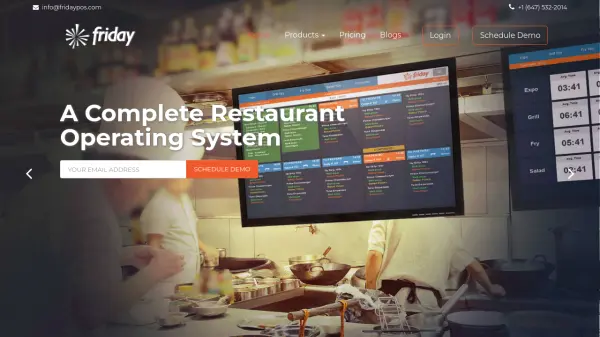
What is Friday POS?
Friday POS provides a comprehensive, cloud-based operating system designed specifically for the restaurant industry. It caters to various establishment types, including fast food, casual dining, bars, coffeehouses, cafes, and takeaways. The platform integrates essential functions into a single dashboard, streamlining operations and providing owners with enhanced control over their business.
The system features robust modules for Point of Sale (POS), back-office tasks, inventory management down to the ingredient level, and delivery logistics. It leverages AI to deliver actionable insights through detailed reporting, helping businesses make informed decisions. Friday POS also supports integrations with leading accounting software like QuickBooks and Xero, offers features like self-service kiosks, kitchen display systems (KDS), and customer-facing displays to improve efficiency and customer engagement.
Features
- Point of Sale: Unified POS interface suitable for various restaurant types (Fast Food, Fine Dining, Bars, Cafes).
- Inventory Management: Ingredient-level tracking, centralized management for multiple outlets, recipe management, food costing, and purchase automation.
- Delivery Management: Features include an internet call center, real-time driver tracking, map overview for route optimization, and automated customer SMS notifications.
- Management & Reporting: AI-based actionable insights, employee management (payroll, performance), Customer Relationship Management (CRM), mobile app for restaurant audits, and owner/manager reporting mobile app.
- Self-Service Kiosk: Allows customers self-ordering and checkout.
- Kitchen Display Systems (KDS): Displays orders in the kitchen in real-time.
- Accounting Integration: Seamless integration with QuickBooks and Xero.
- Customer Facing Display: Shows order details and branding to customers during checkout.
Use Cases
- Managing daily sales transactions and payments in restaurants.
- Tracking inventory levels and managing stock across single or multiple locations.
- Calculating recipe costs and optimizing menu pricing.
- Streamlining food delivery operations from order placement to arrival.
- Analyzing sales data and business performance with AI-driven reports.
- Managing employee schedules, payroll, and performance.
- Building customer loyalty through integrated CRM features.
- Reducing wait times and improving order accuracy with KDS and self-service kiosks.
- Simplifying accounting processes through QuickBooks/Xero integration.