What is Playwright?
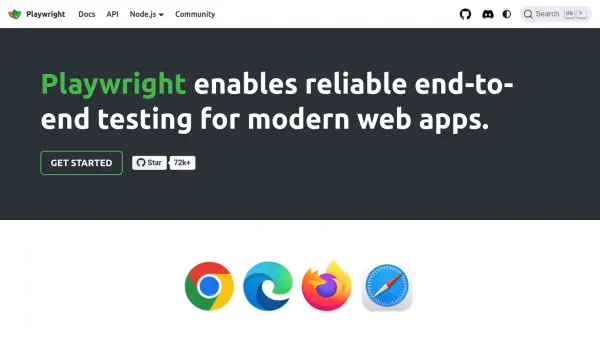
Playwright serves as a comprehensive solution for automating end-to-end testing of web applications, supporting all modern rendering engines such as Chromium, WebKit, and Firefox. Designed for cross-platform compatibility, it enables streamlined testing on Windows, Linux, and macOS environments—both locally and within continuous integration pipelines, in either headless or headed modes.
Developers can utilize Playwright’s unified API in multiple programming languages—TypeScript, JavaScript, Python, .NET, and Java—to create resilient tests featuring auto-wait capabilities and web-first assertions, reducing test flakiness. The tool also delivers powerful features for mobile web testing, full browser isolation via unique contexts, advanced debugging with its inspector, code generation, and detailed tracing for effective failure analysis.
Features
- Cross-Browser Testing: Supports Chromium, WebKit, and Firefox engines.
- Cross-Platform Compatibility: Runs tests on Windows, Linux, and macOS.
- Multi-Language Support: API available in TypeScript, JavaScript, Python, .NET, and Java.
- Mobile Web Emulation: Native emulation of Chrome for Android and Safari for iOS.
- Auto-Wait and Web-First Assertions: Automatically waits for elements and retries assertions for reliable tests.
- Browser Context Isolation: Each test runs in a separate, isolated browser context.
- Session State Management: Allows login state reuse across tests.
- Codegen Tool: Generates tests by recording user actions.
- Inspector and Trace Viewer: Visual tools to debug and understand test execution.
- Support for Advanced Scenarios: Handles multiple tabs, origins, users, frames, and shadow DOM.
Use Cases
- Automated cross-browser UI testing for web applications
- Testing mobile-optimized websites with native browser emulation
- Running automated tests as part of CI/CD pipelines
- Debugging and analyzing failed tests using advanced tracing tools
- Writing tests in multiple programming languages for shared or diverse teams
- Ensuring full user journey coverage across different contexts and user sessions
FAQs
-
Which browsers are supported by Playwright?
Playwright supports all modern rendering engines, including Chromium, WebKit, and Firefox, for comprehensive cross-browser testing. -
Can Playwright be used with multiple programming languages?
Yes, Playwright provides API support in TypeScript, JavaScript, Python, .NET, and Java. -
Does Playwright support mobile web testing?
Yes, Playwright offers native mobile emulation for Google Chrome on Android and Mobile Safari. -
What tooling is available for debugging and test creation?
Playwright includes tools such as Codegen for recording tests, an inspector for step-wise debugging, and a trace viewer for in-depth analysis of test failures.