What is Kane CLI by TestMU AI?
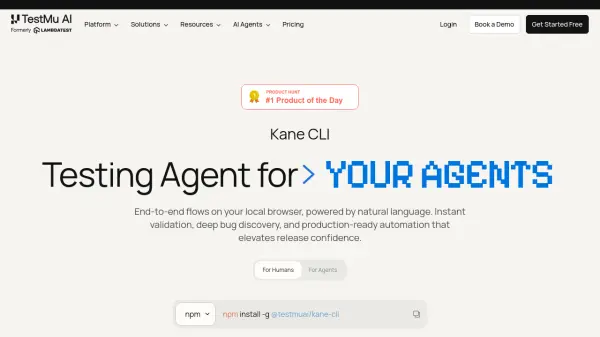
Kane CLI is an AI-driven browser testing tool for developers, QA engineers, DevOps teams, and coding agents. It lets users describe end-to-end web flows in plain English and then runs those flows in a real Chrome browser without requiring selectors, custom scripts, or a domain-specific language. Tests can run locally from a terminal, inside a CI workflow, or through an AI coding agent.
The tool reads product requirements, tickets, and existing test suites to map use cases, scenarios, and acceptance criteria. It measures strict coverage, identifies untested requirements, and creates a portable evidence package containing screenshots, DOM snapshots, console output, network activity, assertions, and step-by-step results. Runs can also sync with the KaneAI dashboard for replay, logs, and test case management.
Features
- Natural Language Test Authoring: Creates and runs browser tests from plain English instructions without selectors or custom test scripts.
- Real Browser Automation: Drives local Chrome browsers to validate end-to-end application flows in visible or headless mode.
- Requirement-Aware Test Design: Reads product requirements, tickets, and existing suites to map use cases, scenarios, and acceptance criteria.
- Strict Coverage Analysis: Counts a requirement as covered only when a test executes it, asserts the expected outcome, and captures supporting evidence.
- Replayable Test Evidence: Records steps, screenshots, DOM snapshots, console logs, network calls, assertions, and tamper-evident SHA-256 verification.
- Resilient Test Execution: Uses autohealing, smart waiting, and dynamic querying to reduce flaky or brittle tests.
- Secure Stateful Flows: Supports secrets, variables, custom browser profiles, and existing authenticated sessions.
- Native Playwright Export: Converts automated flows into editable native Playwright scripts.
Use Cases
- Run checkout, authentication, search, refund, and other end-to-end web application tests from a terminal.
- Validate a fix locally before opening a pull request or deploying an application.
- Execute the same browser flow across staging and production environments without duplicating scripts.
- Add headless browser validation to continuous integration pipelines.
- Help AI coding agents navigate web applications and verify completed development work.
- Discover bugs and identify high-risk gaps in acceptance-criteria coverage.
- Capture portable test evidence for developers, agents, teammates, or auditors.
- Generate native Playwright scripts from natural language browser flows.
How It Works
Install Kane CLI
Install the command-line tool globally with npm using npm install -g @testmuai/kane-cli.
Connect a TestMu AI Account
Register or sign in so Kane CLI can authenticate runs and synchronize screenshots, evidence, and test cases with the workspace.
Describe the Required Flow
Enter an end-to-end browser task in natural language, such as verifying a checkout flow on a staging environment.
Run and Validate the Test
Kane CLI designs the test, drives a real browser, evaluates acceptance criteria, and reports passed tests and coverage gaps.
Review the Evidence
Open the generated evidence package to inspect replayable steps, screenshots, DOM snapshots, console output, network calls, assertions, and verified results.
FAQs
-
Does Kane CLI require a TestMu AI account?
Yes. Kane CLI authenticates with TestMu AI so that runs, screenshots, and test cases can synchronize with the KaneAI dashboard and team workspace. -
How is Kane CLI different from KaneAI?
KaneAI is a web-based test authoring and management platform. Kane CLI is its terminal-native companion and can be used from a shell, CI pipeline, or AI agent while sending run data to the KaneAI dashboard. -
Can Kane CLI handle OTPs and CAPTCHAs?
Kane CLI includes an Ask tool that lets a person participate when an agent needs help with OTPs, CAPTCHAs, or similar blocking interactions. -
Can Kane CLI reuse an authenticated browser session?
Yes. It supports custom browser profiles and existing authenticated sessions for stateful flow automation.