What is TestingWhiz?
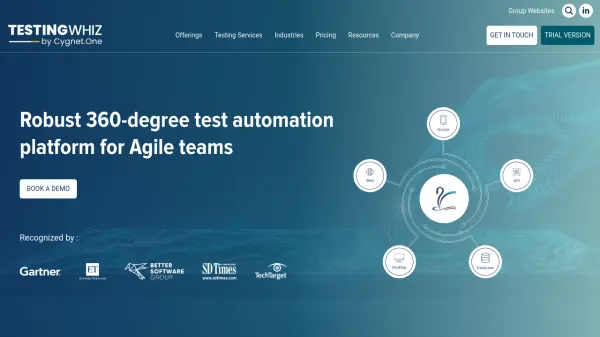
TestingWhiz is a comprehensive codeless test automation platform designed for Agile teams. It supports a wide range of testing scenarios including web, mobile, desktop, database, API, and FTP testing, all within a single test case. The platform features an AI-driven recorder, Selenium import, job scheduler, cross-browser testing, and robust reporting with visual logs and trend analysis. TestingWhiz integrates seamlessly with CI/CD tools, test management, defect management, and version control systems, enabling efficient collaboration and continuous testing.
Features
- AI-Driven Web Application Recorder: Records and stores web controls using Object Eye for intelligent test creation.
- Selenium Import: Imports existing Selenium test cases directly and provides an inbuilt Selenium Java editor.
- Cross-Browser Testing: Supports Chrome, Firefox, IE, Edge, Edge Chromium, and Headless browsers with cloud integration.
- Job Scheduler: Schedules test execution at predefined times with configurable frequencies and email reports.
- OCR Capability: Extracts text from images using Google Vision API and Tesseract.
- Centralized Object Repository: Stores objects in RDBMS for reusability across teams.
- Data-Driven Testing: Imports data from Excel, CSV, JSON, and databases for dynamic test generation.
- CI/CD Support: Integrates with Jenkins, Azure DevOps, AWS, and Bamboo for continuous testing.
- Comprehensive Reporting: Generates HTML and PDF reports with trend analysis, screenshots on failure, and execution videos.
- Multi-Platform Testing: Automates desktop, web, mobile, API, FTP, and database testing in one tool.
Use Cases
- End-to-end regression testing of web applications
- Cross-browser compatibility testing
- Mobile web and native app testing on Android and iOS
- Database testing for data integrity and health checks
- API testing for REST, SOAP, and GraphQL services
- Desktop application automation for Microsoft-based software
- Data-driven testing with dynamic test data generation
- Continuous integration and delivery pipeline integration
FAQs
-
What types of testing does TestingWhiz support?
TestingWhiz supports web, mobile, desktop, database, API, and FTP testing, all within a single test case. -
Can TestingWhiz import existing Selenium scripts?
Yes, TestingWhiz has an inbuilt Selenium Java editor that allows easy migration of existing Selenium tests without rewriting them from scratch. -
Does TestingWhiz support cross-browser testing?
Yes, TestingWhiz supports Chrome, Firefox, Internet Explorer, Microsoft Edge, Edge Chromium, and Headless browsers, and integrates with BrowserStack, LamdaTest, and Sauce Labs for cloud execution. -
What integrations does TestingWhiz offer?
TestingWhiz integrates with CI tools (Jenkins, Azure DevOps, AWS, Bamboo), test management tools (Microfocus ALM, Zephyr, TestRail), defect management tools (JIRA, Mantis, FogBugz), and version control systems (Subversion, GitHub, GitLab, Bitbucket). -
Is there a free trial available for TestingWhiz?
Yes, TestingWhiz offers a free Community Edition and a trial version for download.