Picnic CSS favicon

Picnic CSS
Lightweight and beautiful CSS library for modern web development

What is Picnic CSS?

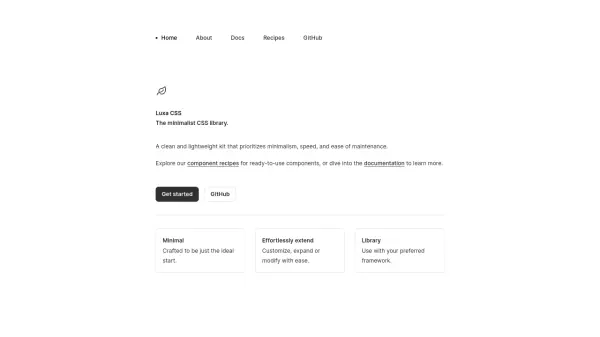
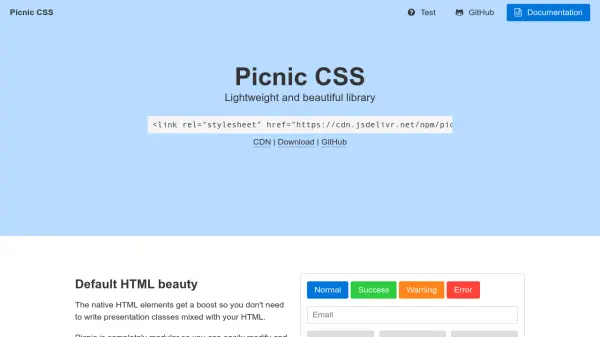
Picnic CSS is a lightweight CSS library designed to provide beautiful styling for native HTML elements without requiring extensive presentation classes in HTML. It offers a modular structure that allows developers to easily modify and test individual components. The library is built with SCSS, featuring numerous variables and placeholder classes for straightforward customization and extension.

Focused on performance, Picnic CSS aims to keep compressed CSS under 10kb to ensure faster mobile loading times. It includes carefully crafted CSS transitions to enhance user experience, all without relying on JavaScript for functionality like multi-step forms. The library is open-source under the MIT license, making it freely available for a wide range of projects.

Features

  • Modular Design: Easily modify and test individual CSS components for flexibility
  • SCSS-Based: Built with SCSS using variables and placeholder classes for easy extension
  • Lightweight: Compressed CSS under 10kb for faster mobile loading and better performance
  • Native HTML Enhancement: Boosts default HTML elements without requiring presentation classes
  • CSS Transitions: Includes subtle, carefully crafted transitions to improve user experience

Use Cases

  • Building responsive websites with minimal CSS overhead
  • Creating mobile-optimized web applications with fast loading times
  • Developing prototypes or projects requiring quick, beautiful styling
  • Customizing web designs using modular SCSS components
  • Enhancing user interfaces with smooth CSS transitions

Related Tools:

Blogs:

  • Best AI tools for recruiters

    Best AI tools for recruiters

    These tools use advanced algorithms and machine learning to automate tasks such as resume screening, candidate matching, and predictive analytics. By analyzing vast amounts of data quickly and efficiently, AI tools help recruiters make data-driven decisions, save time, and identify the best candidates for open positions.

  • Best AI Tools For Startups

    Best AI Tools For Startups

    we've compiled a straightforward list of user-friendly AI tools designed to give startups a boost. Discover practical solutions to streamline everyday tasks, enhance productivity, and gain valuable insights without the need for a tech expert. Learn where and how these tools can be applied in your startup journey, from automating repetitive tasks to unlocking powerful data analysis. Join us as we explore the features that make these AI tools accessible and beneficial for startups in various industries. Elevate your business with technology that works for you!

  • Top 6 AI note-taking tools for 2026: in-person, online, and hybrid use cases

    Top 6 AI note-taking tools for 2026: in-person, online, and hybrid use cases

    Most AI note-taking lists are really lists of meeting bots, which join your video call and transcribe it. That's useful, but it's half the picture. Decisions happen in hallway conversations, client dinners, on-site visits, and hybrid rooms where nobody is on a video link. This guide covers different parts of the note-taking workflow: hardware capture for in-person settings, platform-native tools for online calls, and AI layers for organizing and synthesizing what you've captured. It compares six tools by capture context, workflow fit, pricing, and limitations.

Didn't find tool you were looking for?

Be as detailed as possible for better results