What is MetalliCSS?
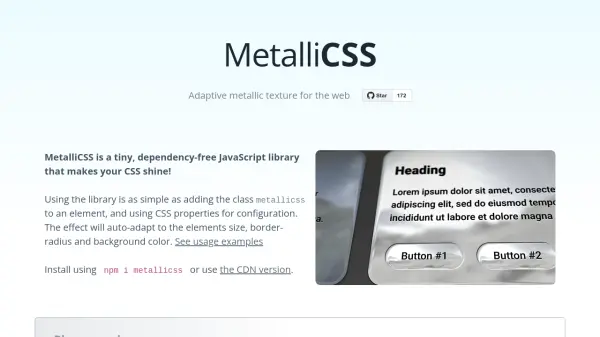
MetalliCSS is a lightweight, dependency-free JavaScript library that brings adaptive metallic textures to web elements. Simply add the class
metallicss to any HTML element and configure the effect using standard CSS properties. The metallic finish automatically adapts to the element's size, border-radius, and background color, providing a seamless and dynamic visual enhancement. With support for customization via CSS variables and an optional paid extension (MetalliCSS+) for advanced features like parallax effects and alternative environments, MetalliCSS offers a straightforward way to add eye-catching metallic designs to websites.
Features
- Adaptive Effects: Automatically adapts to element size, border-radius, and background color.
- Easy Integration: Use by adding the class 'metallicss' and configuring with CSS properties.
- Dependency-Free: No external libraries required.
- Lightweight: Tiny file size for fast loading.
- Customizable: Supports CSS properties for configuration.
- MetalliCSS+ Extension: Optional paid extension for parallax effects and extended environments.
Use Cases
- Enhancing UI elements like buttons, cards, and spinners with metallic finishes.
- Creating visually appealing loading spinners for websites.
- Adding decorative metallic effects to backgrounds or containers.
- Improving design aesthetics in portfolios, landing pages, or product showcases.
FAQs
-
How do I install MetalliCSS?
You can install it via npm using 'npm i metallicss' or use the CDN version directly in your HTML. -
What is MetalliCSS+?
MetalliCSS+ is a paid extension that offers additional features like parallax effects and alternative environment rendering. You can join the waitlist on the website. -
Is MetalliCSS free to use?
The basic library is free and open source. MetalliCSS+, which includes advanced features, requires payment.