What is Picmovi?
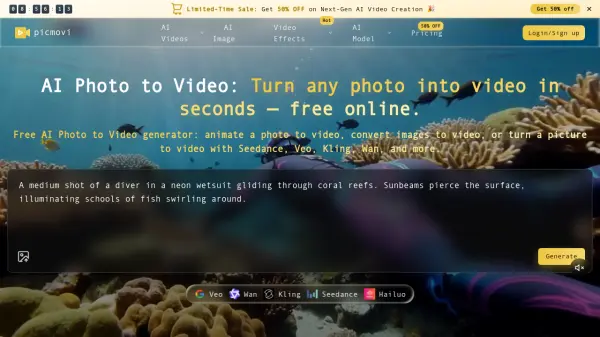
Picmovi transforms static photographs into dynamic video content through advanced artificial intelligence technology. The platform supports multiple leading AI video generation models, allowing users to upload a photo, describe desired camera movements and actions through text prompts, and generate short animated clips within seconds. Users can compare results across different engines such as Seedance, Veo, Kling, Wan, and Hailuo to achieve the perfect look for social media, advertising campaigns, product demonstrations, or film production workflows.
The platform maintains visual consistency by keeping faces, products, and brand elements stable throughout the animation process, ensuring identity preservation across frames. Picmovi offers flexible export ratios optimized for TikTok, Instagram Reels, YouTube Shorts, and product pages, while supporting resolution outputs ranging from 720p to 4K. With prompt-driven motion control, users can direct camera movements, action sequences, and stylistic elements without traditional timeline editing, making professional video creation accessible for creators of all skill levels.
Features
- Multi-Model AI Engine: Access Seedance, Veo, Kling, Wan, and Hailuo models to compare motion styles and select optimal results
- Prompt-Driven Motion Control: Describe camera movements, actions, and style in plain text to animate photos without timeline editing
- Identity Preservation: Maintain stable faces, products, and brand elements throughout animation frames
- High-Resolution Export: Generate videos from 720p to 4K resolution suitable for professional use
- Social Media Optimization: Export clips in ratios optimized for TikTok, Reels, Shorts, and product pages
- AI Lip Sync: Synchronize lip movements with audio for talking avatar creation
- Motion Control Tools: Fine-tune camera movements and animation parameters for precise creative direction
- Commercial License: Use generated videos for marketing, advertising, and client work with paid plans
Use Cases
- Create engaging TikTok, Instagram Reels, and YouTube Shorts from single product photos
- Animate hero images into campaign-ready advertisements for multiple marketing channels
- Generate B-roll footage and establishing shots for YouTube videos and film projects
- Transform static product photographs into dynamic lifestyle demonstration clips
- Produce creative variants for A/B testing advertising campaigns without full production shoots
- Create catalog video assets for e-commerce SKUs from existing product photography
- Prototype picture-to-video sequences for filmmakers and content creators
- Generate social media content consistently while maintaining brand identity across frames
How It Works
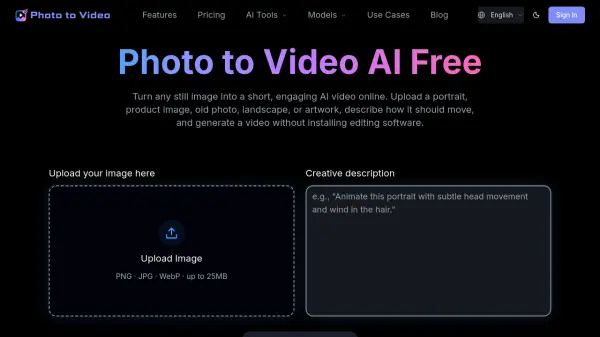
Upload Your Photo
Upload a still image or photo that you want to animate. Ensure you have rights to the source image for the best results.
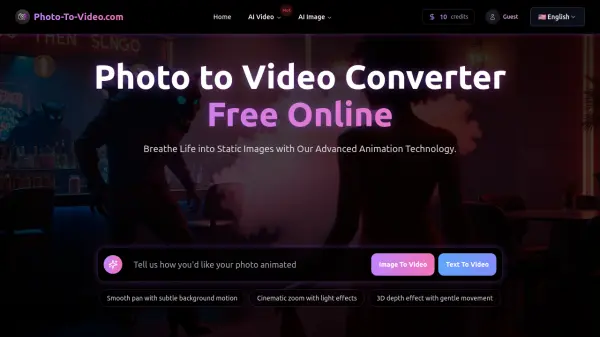
Write Motion Prompt
Describe the desired camera movements, actions, and style in plain text. The AI will use this prompt to guide the animation process.
Select AI Model
Choose from available AI models like Seedance, Veo, Kling, Wan, or Hailuo based on your preferred motion style, speed, or realism requirements.
Generate and Preview
Click generate and wait a few seconds to minutes for processing. Preview the animated video result and regenerate with different prompts or models if needed.
Export and Download
Export your video in the desired resolution (720p to 4K) and aspect ratio optimized for your target platform like TikTok, Reels, or YouTube.
FAQs
-
What is AI Photo to Video?
AI Photo to Video turns a still photo into a short moving clip. Upload a picture, add a prompt for camera motion and action, and the generator creates a photo to video result you can preview and download—ideal when you want photo to video AI without a full shoot. -
How do I turn a photo into video for free?
Open the free AI Photo to Video tool, upload your photo, write a short motion prompt, pick a model, then generate. New users get credits to try photo to video AI free online; paid plans add more volume for daily photo to video work. -
Which models can I use for photo to video AI?
Choose engines such as Seedance, Veo, Kling, Wan, and Hailuo for different motion, speed, or realism needs. Compare takes on the same photo so you can pick the best AI photo to video generator result for social, ads, or product clips. -
Do I own the videos I create?
Yes—subject to our Terms and rights to any photos you upload. Use photo to video outputs for marketing, YouTube, client work, and social when you own the source rights. Paid exports are typically watermark-free. -
How long does AI Photo to Video generation take?
Most photo to video jobs finish in seconds to a few minutes, depending on model, resolution, and queue. Iterate quickly: tweak the prompt, switch models, or regenerate until the motion from your photo looks right.