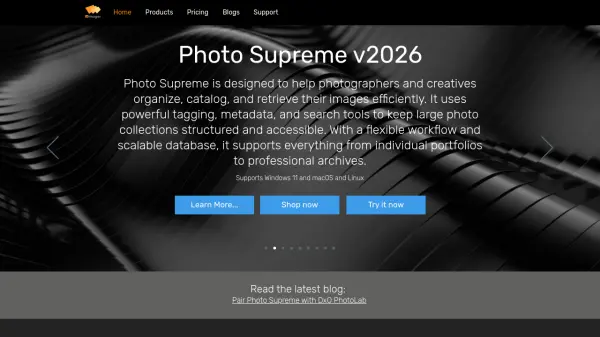
What is Photo Supreme?
Photo Supreme is a comprehensive Digital Asset Management (DAM) solution designed for photographers, creative teams, and businesses. It provides advanced tools to organize, categorize, tag, and manage images efficiently, supporting industry-standard metadata formats like IPTC, Exif, XMP, and MWG for seamless interoperability. With powerful search capabilities, facial recognition, and AI-driven image analysis using OpenAI, Google Gemini, or Ollama, users can quickly find and enrich their photos while maintaining full privacy through local processing.
The software offers cross-platform support for Windows, macOS, and Linux, with native 64-bit performance and high-resolution display scaling up to 8K. It includes features such as stacking and versioning, geotagging, batch operations, and tethered folder support. For teams, the Server Edition enables multi-user collaboration with centralized management, role-based permissions, and real-time syncing. Photo Supreme is available as a one-time purchase with no monthly fees, backed by a 14-day money-back guarantee.
Features
- Advanced Search: Combine filters, keywords, and smart rules to zero in on exact images.
- AI Face Detection and Recognition: Automatically identify faces locally without cloud services.
- AI Image Analysis: Use OpenAI, Google Gemini, or Ollama to describe and keyword images.
- Metadata Standards: Support for IPTC, Exif, XMP, and MWG for interoperability.
- Cross-Platform: Runs on Windows, macOS, and Linux with native 64-bit support.
- Stacking and Versioning: Group similar images and manage edits or variations.
- Geotagging: Add location info with reverse lookups and GPX support.
- Batch Operations: Apply changes to multiple images simultaneously.
Use Cases
- Professional photographers organizing large photo libraries.
- Creative teams collaborating on digital assets with server-based sharing.
- Photo enthusiasts tagging and categorizing personal image collections.
- Businesses managing product images with centralized metadata control.
- Researchers requiring scientific metadata standards like Darwin Core.
FAQs
-
Does Photo Supreme support RAW files?
Photo Supreme can catalog and manage RAW files, but it does not perform raw conversion; it works alongside external editors. -
Can I try Photo Supreme before buying?
Yes, a 14-day free trial is available with a money-back guarantee. -
Is my data safe with local AI processing?
Yes, face detection and recognition run locally on your machine, ensuring privacy. Analysis via Ollama also runs locally. -
What image formats are supported?
Photo Supreme supports a wide range of formats including JPEG, TIFF, PNG, RAW, and more. -
Can I migrate from other software?
Yes, Photo Supreme offers migration guides for Lightroom, MediaPro, IMatch, ACDSee, and Apple Photos.