What is PDFZilla?
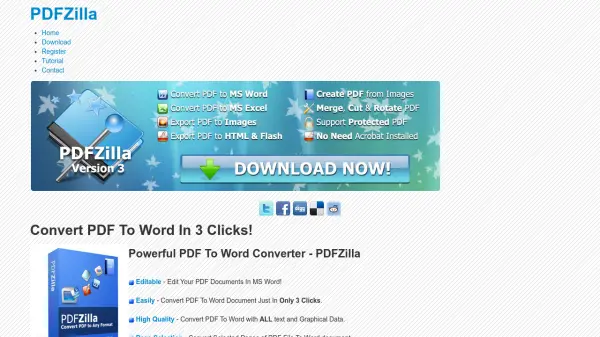
PDFZilla is a robust software solution designed to streamline the conversion of PDF files into various editable formats including MS Word, Excel, Rich Text, plain text, and multiple image types. Its user-friendly interface allows converting PDFs quickly and reliably, ensuring the preservation of both text and graphical data. With advanced functionalities such as batch processing for large volumes, selective page conversion, and language support for over 20 languages, it caters to individuals and businesses that demand flexibility and efficiency in their document workflows.
The tool enhances productivity by enabling users to edit their converted PDF contents in familiar software like MS Word, while also providing options to merge, rotate, or cut PDF documents as needed. Supporting a wide range of output formats and easy three-click conversion, PDFZilla is positioned as a versatile PDF management platform suitable for users across various industries.
Features
- PDF to Word Conversion: Transforms PDF documents to editable MS Word files including text and graphics
- Batch Mode: Converts over 1,000 PDF files in one bulk process
- Page Selection: Converts entire PDF files or selected pages only
- Multi-Language Support: Handles PDFs in over 20 languages
- Multiple Output Formats: Converts PDFs to Excel, RTF, plain text, HTML, various image formats, and SWF
- Merge, Rotate, Cut: Offers features to merge, rotate, or cut PDF files for document customization
- Easy Three-Click Process: Simple workflow to complete conversions quickly
Use Cases
- Converting academic research papers from PDF to editable Word documents
- Extracting data from invoice PDFs to Excel for business analysis
- Preparing legal documents by selecting and converting specific pages
- Digitizing scanned images for archival by converting to PDF format
- Creating website content by transforming PDF files into HTML pages
- Merging multiple PDF contracts into one document for client delivery
- Bulk conversion of large document libraries for digital transformation
FAQs
-
What file formats can PDFZilla convert PDFs into?
PDFZilla converts PDFs into MS Word, Excel, plain text, rich text, a variety of image formats, HTML, and SWF. -
Can PDFZilla convert specific pages instead of the entire PDF document?
Yes, PDFZilla allows users to select and convert only the pages they need from a PDF file. -
Does PDFZilla support batch processing for multiple PDFs?
Yes, PDFZilla's batch mode can process over 1,000 PDF files in one conversion operation. -
Is it possible to merge or rotate PDF files with PDFZilla?
Yes, PDFZilla includes tools to merge several PDF files into one or rotate PDF pages as needed. -
Does PDFZilla preserve graphic elements and text quality in conversions?
PDFZilla ensures the integrity of all text and graphical data during the conversion process, maintaining high quality.