What is PDFTranslate?
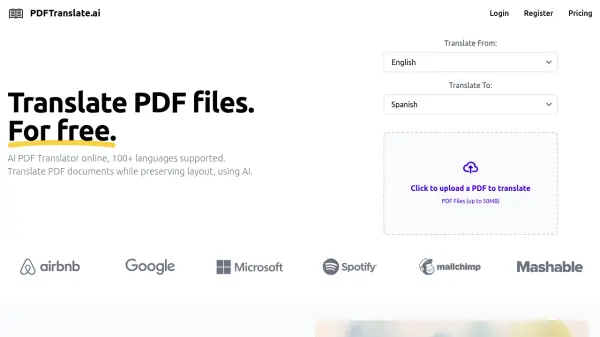
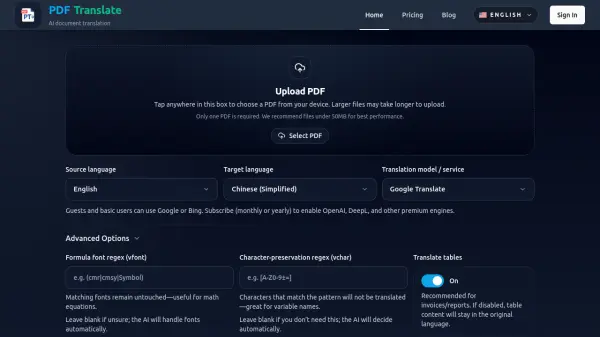
PDFTranslate is an AI-powered document translation platform that specializes in converting PDF files across more than 60 languages while preserving the original layout, fonts, tables, and images. The tool operates entirely within a web browser, eliminating the need for software installation and making it accessible on any device. Users can upload PDFs, select source and target languages, and receive translations that maintain the document's professional appearance, including mathematical formulas, technical terminology, and complex formatting.
The platform offers multiple translation engines, with basic users accessing Google or Bing services and premium subscribers unlocking advanced AI models like OpenAI and DeepL. Beyond simple translation, PDFTranslate provides document summarization and Q&A features, allowing users to extract key information or ask context-specific questions about uploaded files. The service supports large documents, scanned pages, and offers both single-language and dual-column bilingual PDF outputs for easy review and comparison.
Features
- AI Translation: Uses multiple AI engines including Google, Bing, OpenAI, and DeepL for accurate document translation
- Format Preservation: Maintains original PDF layout, fonts, tables, images, and mathematical formulas during translation
- Multi-language Support: Translates across 60+ languages including Chinese, Spanish, Hindi, Arabic, and many European languages
- Document Processing: Handles large PDFs, scanned pages, and offers summarization and Q&A features
- Browser-based Interface: Works entirely in web browser without software installation on any device
Use Cases
- Translating business contracts and legal documents for international operations
- Converting academic research papers and technical manuals across languages
- Localizing marketing materials and product documentation for global audiences
- Processing invoices, reports, and financial documents in multiple languages
- Translating novels, books, and literary works while preserving formatting
- Handling patent documents and scientific papers with complex terminology
FAQs
-
How long does a translation take?
Translation times vary based on document size and complexity, but the AI engine typically processes long-form PDFs in seconds with real-time progress monitoring. -
Can I switch translation engines?
Basic users can use Google or Bing engines, while premium subscribers can access advanced AI models like OpenAI and DeepL for improved translation quality. -
Will the PDF layout remain intact?
Yes, the tool preserves the original layout, fonts, tables, images, and formatting elements including mathematical formulas and professional terminology. -
Does it support large or long PDFs?
Yes, the platform handles academic papers, annual reports, multi-contract bundles, and book-length PDFs while maintaining headings, footnotes, and cross references. -
Can I translate scanned PDFs?
Yes, the tool supports translation of scanned PDF pages while maintaining the original document structure and appearance.