What is Pasteon?
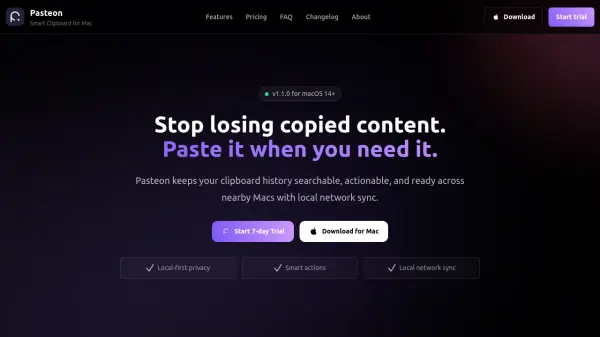
Pasteon is a smart clipboard manager for macOS that transforms how you interact with copied content. Instead of losing items after the next copy, Pasteon keeps a searchable history of everything you've copied, from text and links to images and files.
With support for content-aware actions, Pasteon recognizes the type of content you copied and offers relevant tools: OCR for images, color conversion for color codes, URL cleanup for links, and more. All clipboard data stays on your Mac for local-first privacy, and you can sync history securely across your nearby Macs over your local network without any cloud involvement.
Features
- Clipboard History: Automatically saves everything you copy, making it searchable and accessible anytime.
- Content-Aware Actions: Applies intelligent actions based on content type, such as OCR for images, color conversion for hex codes, and URL cleanup for links.
- Local Network Sync: Syncs clipboard history across your Macs on the same local network without using the cloud.
- Local-First Privacy: All clipboard data stays on your Mac, ensuring private workflows and no background collection.
- Keyboard-First Workflow: Designed for speed with keyboard shortcuts and rich previews before pasting.
Use Cases
- Quickly retrieve previously copied text, links, or images without re-copying.
- Extract text from images using OCR and paste it directly.
- Convert color formats between HEX, RGB, HSL, and RGBA on the fly.
- Clean up and encode/decode URLs before sharing or using them.
- Access clipboard history from multiple Macs on the same local network.
- Easily paste copied JSON, dates, and other structured data with previews.
FAQs
-
Is Pasteon free to use?
Pasteon offers a 7-day free trial for subscriptions. After the trial, you can choose a monthly ($0.9/mo), annual ($9.9/yr), or lifetime ($19.9 one-time) plan. -
How does Pasteon protect my clipboard data?
Pasteon is local-first: all clipboard data stays on your Mac. It does not collect background data or send clipboard content to the cloud. Local network sync keeps data within your LAN. -
How does local network sync work?
Pasteon can sync clipboard history between Macs on the same local network. Devices discover each other automatically, and clipboard items are transferred directly without any cloud relay or third-party server. -
Is there a lifetime option?
Yes, Pasteon offers a lifetime plan for $19.9 one-time payment. It includes all features and lifetime updates. -
How can I cancel my subscription?
You can cancel your subscription anytime. For assistance, contact support with your purchase email and macOS version.