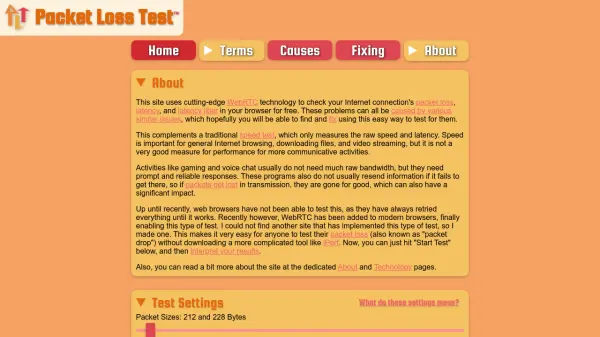
What is Packet Loss Test?
Packet Loss Test leverages innovative WebRTC technology to accurately assess your internet connection's packet loss, latency, and jitter without the need for additional software. Designed to complement standard speed tests, this browser-based solution provides valuable insights that are particularly relevant for communicative activities such as online gaming, voice chat, and video conferencing, where consistent and reliable network performance is vital.
Users can select from various test presets tailored for specific applications—including popular games, streaming services, and VoIP tools—or customize testing parameters like packet size, test frequency, and duration. The tool operates through multiple global servers, allowing users to conduct tests relevant to their geographic location and download results for detailed analysis. With an intuitive interface, Packet Loss Test empowers both casual users and professionals to diagnose and address network issues instantly and conveniently.
Features
- WebRTC-Based Testing: Performs real-time network assessments directly in the browser without external software.
- Customizable Settings: Allows adjustment of packet size, test frequency, duration, and acceptable delay.
- Presets for Applications: Provides tailored testing profiles for gaming, VoIP, streaming, and conferencing platforms.
- Global Server Choice: Lets users select from multiple international server locations for relevant testing.
- Instant Results and Export: Delivers detailed, downloadable results in CSV or JSON formats for further analysis.
Use Cases
- Diagnosing packet loss issues affecting online gaming performance.
- Assessing latency and jitter for voice and video conferencing quality.
- Testing network reliability for remote desktop usage and cloud gaming.
- Comparing server performance based on geographic location.
- Exporting test data for detailed troubleshooting or technical support.
FAQs
-
What makes this tool different from traditional speed tests?
While speed tests measure raw bandwidth and latency, Packet Loss Test focuses on network reliability factors such as packet loss and jitter, which are essential for real-time applications like gaming and voice chat. -
Can I use this test from any location?
Yes, users can choose from multiple server locations worldwide to test network performance relevant to their geographic area. -
Do I need to install any software to use Packet Loss Test?
No installation is required. The tool runs entirely within modern web browsers using WebRTC technology. -
What formats are available for exporting test results?
Test results can be downloaded as CSV, CSV with a summary, or JSON formats for easy review and sharing. -
Are there preset configurations for popular games and applications?
Yes, the tool provides preset testing profiles for various games, streaming services, and VoIP applications to simulate real-world network usage.