OXYDigital favicon

OXYDigital
A complete digital signage solution provider for communication and advertising needs.

What is OXYDigital?

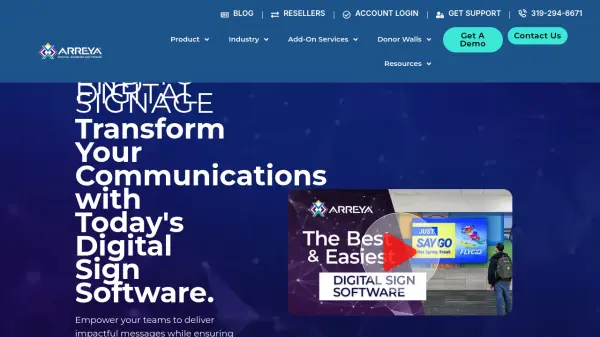
OXYDigital is a complete digital signage solution provider that offers turnkey solutions for communication and advertising needs. The company provides a range of services including software, hardware, installation, integration, and content creation, ensuring a seamless experience for clients.

Their web-based, user-friendly digital signage software allows users to control screens from anywhere, while certified hardware products support custom and pre-designed solutions. OXYDigital also handles full-fledged installation and integration, making it a one-stop shop for digital signage requirements.

Features

  • Digital Signage Software: Web-based, user-friendly software for remote screen control
  • Digital Signage Hardware: Certified hardware products for custom and pre-designed solutions
  • Digital Signage Installation: Full-fledged installation, integration, and content creation services

Use Cases

  • Office reception digital signage for communication
  • Floor-standing digital signage kiosks for advertising
  • Custom digital signage setups for businesses

Related Tools:

Blogs:

  • Best AI tools for Lawyers

    Best AI tools for Lawyers

    streamline legal processes, enhance research capabilities, and improve overall efficiency in the legal profession.

  • Top 6 AI note-taking tools for 2026: in-person, online, and hybrid use cases

    Top 6 AI note-taking tools for 2026: in-person, online, and hybrid use cases

    Most AI note-taking lists are really lists of meeting bots, which join your video call and transcribe it. That's useful, but it's half the picture. Decisions happen in hallway conversations, client dinners, on-site visits, and hybrid rooms where nobody is on a video link. This guide covers different parts of the note-taking workflow: hardware capture for in-person settings, platform-native tools for online calls, and AI layers for organizing and synthesizing what you've captured. It compares six tools by capture context, workflow fit, pricing, and limitations.

Didn't find tool you were looking for?

Be as detailed as possible for better results