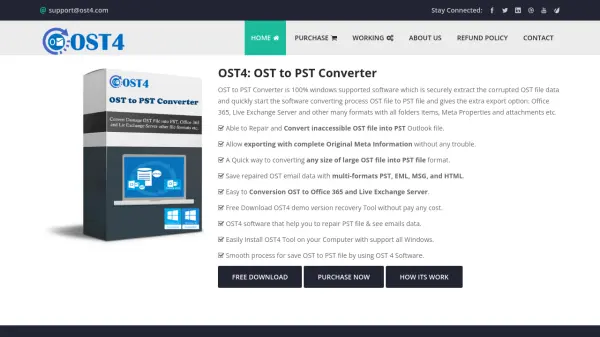
What is OST4?
OST4 is a specialized software solution designed for repairing and converting inaccessible or corrupted OST files into PST format. It operates exclusively on Windows systems and supports a wide range of Microsoft Outlook versions, from older releases to the latest 2019 edition. The tool efficiently extracts data from damaged OST files, ensuring that all folder items, meta properties, and attachments are retained during the conversion process.
Users can export recovered email data into multiple formats, including PST, EML, MSG, and HTML, and seamlessly migrate it to Office 365 or Live Exchange Server. The software features a user-friendly interface that allows previewing of recovered emails before conversion, making it accessible even for non-technical users. A free demo version is available, enabling users to convert up to 30 emails per folder item to evaluate functionality before purchase.
Features
- Repair Inaccessible OST File: Fixes Outlook OST file errors and resolves corruption issues to restore email data.
- Preview Recovered Emails: Displays recovered mailbox data before conversion for verification and selection.
- Convert Whole Folder Items: Processes emails, journals, attachments, inbox, calendar, and contacts from OST files.
- Export to Office 365: Migrates offline OST file data to Office 365 accounts while solving corruption problems.
- Transfer to Live Exchange Server: Moves emails to Live Exchange Server with original folder structures quickly.
- Save to Multiple Formats: Exports OST data to PST, EML, MSG, and HTML formats without damaging internal structures.
- Free Demo Version: Allows conversion of up to 30 emails per folder item for testing purposes.
Use Cases
- Recovering emails from corrupted OST files in Microsoft Outlook.
- Migrating OST data to Office 365 for cloud-based email management.
- Transferring email data from OST files to Live Exchange Server environments.
- Converting OST files to PST format for backup or archival purposes.
- Exporting OST email data to other formats like EML or MSG for compatibility with different email clients.
- Repairing inaccessible OST files to restore lost or damaged email communications.
- Previewing and selecting specific emails from OST files before conversion for data organization.
FAQs
-
Can I convert only selected files from an OST folder?
Yes, you can select specific files from the OST folder and convert them into Outlook PST or other formats like PST, EML, MSG, HTML, vCal, vCard, and MBOX. -
Does the software show a preview before conversion?
Yes, it displays a preview of the recovered mailbox along with all OST mailbox data before completing the conversion process. -
Can I convert multiple OST files or folders at once?
Yes, you can export single or multiple OST files simultaneously without any difficulty. -
Does it support the latest versions of MS Outlook?
Yes, it is compatible with all versions of MS Outlook from 97 to 2019, including both 32-bit and 64-bit editions. -
Can it convert OST data to PST without MS Outlook installed?
Yes, you can convert OST data to PST without MS Outlook, but Outlook is required to open the PST file format.