What is OSS Chat?
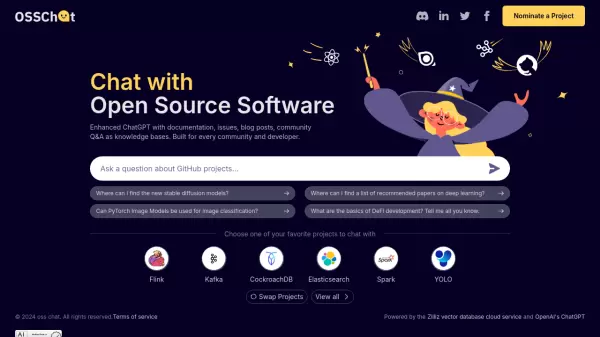
OSS Chat revolutionizes developer interaction with open source software by providing an intelligent chat interface that leverages comprehensive documentation, issue tracking, blog posts, and community Q&A resources. This innovative platform enables developers to get instant, accurate answers about various open source projects.
The platform supports multiple major open source projects including Flink, Kafka, CockroachDB, Elasticsearch, Spark, and YOLO, allowing developers to seamlessly switch between different project knowledge bases for their queries.
Features
- Enhanced ChatGPT Integration: Combines AI with project-specific knowledge bases
- Multi-Project Support: Access to multiple open source projects documentation
- Documentation Integration: Incorporates official documentation, issues, and blog posts
- Community Knowledge Base: Includes community Q&A and discussions
- Project Switching: Ability to switch between different project contexts
Use Cases
- Developer research on open source projects
- Technical documentation search
- Issue resolution and troubleshooting
- Learning about open source technologies
- Community knowledge exploration
FAQs
-
Which open source projects are supported?
OSS Chat currently supports Flink, Kafka, CockroachDB, Elasticsearch, Spark, and YOLO projects. -
What types of information sources does OSS Chat use?
OSS Chat uses documentation, issues, blog posts, and community Q&A as knowledge bases for providing answers.