What is OpenQ?
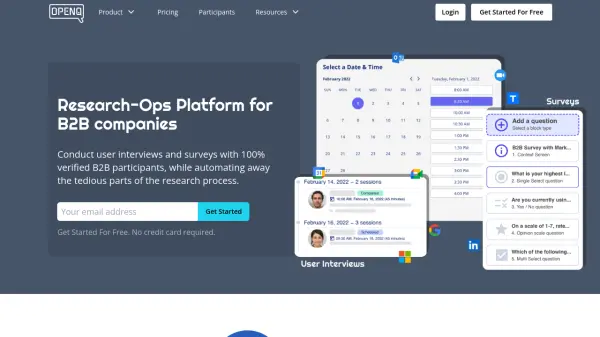
OpenQ provides a comprehensive platform designed to streamline research operations for B2B companies. It facilitates conducting user interviews and surveys by connecting businesses with a panel of 100% verified B2B participants, accessible through granular targeting filters. The platform aims to remove the tedious aspects of the research process, allowing teams to focus on gathering insights. Key workflow automations include participant recruiting, scheduling integration with popular calendars like Google and Outlook, and automated distribution of incentives in multiple currencies and formats.
The service offers tools for both direct participant recruitment via a browser extension and leveraging its own curated B2B panel. It supports various research methodologies, including online, phone-based, and in-person user interviews, as well as targeted B2B surveys. Features like advanced screener workflows with skip-logic, automated e-signature collection for NDAs, and multi-player scheduling options enhance efficiency. Security is addressed through end-to-end encryption and role-based access control within the workspace.
The service offers tools for both direct participant recruitment via a browser extension and leveraging its own curated B2B panel. It supports various research methodologies, including online, phone-based, and in-person user interviews, as well as targeted B2B surveys. Features like advanced screener workflows with skip-logic, automated e-signature collection for NDAs, and multi-player scheduling options enhance efficiency. Security is addressed through end-to-end encryption and role-based access control within the workspace.
Features
- B2B Research Panel: Access 100%-verified B2B participants with 18+ granular targeting filters.
- Recruiting Browser Extension: Find, recruit, and schedule participants directly from Chrome/Edge.
- Advanced Screener Workflows: Utilize screeners with skip-logic and automatic approve/reject logic.
- Automated Scheduling: Integrate with Google Calendar, Outlook Calendar, and Zoom for seamless session booking and reminders.
- Automated Incentive Payments: Distribute payments in 100+ countries using multiple currencies (USD, EUR, CAD, AUD, GBP) and redemption methods (gift cards, virtual visa, cash, charity).
- B2B Survey Platform: Run surveys with verified B2B respondents and granular targeting.
- Informed Consent Automation: Automate NDA and consent collection via e-signatures.
- Multi-player Scheduling: Supports round-robin and team calendar scheduling.
- Workspace Collaboration: Manage users, control permissions, and collaborate in real-time.
Use Cases
- Conducting B2B user interviews to understand customer needs and pain points.
- Running targeted B2B surveys for quantitative market insights.
- Streamlining customer discovery processes for new product development.
- Performing generative user research like card sorting or tree testing.
- Validating solutions and prototypes through evaluative usability testing.
- Facilitating B2B market research and identifying opportunities.
- Conducting expert interviews for due diligence or competitive analysis.
- Recruiting participants for online, phone-based, or in-person research.
FAQs
-
What is included in the Free-Forever Plan?
The Free-Forever Plan allows you to create and launch research studies and recruit participants using the OpenQ Recruiter browser extension. You receive 20 free invites which never expire. -
How is usage measured for billing?
Volume is measured by the number of completed research sessions and the features used for recruitment (e.g., with or without screeners). Credits are charged based on the recruiting method and screener usage. Cancelled or no-show sessions are not charged. -
What is a session in OpenQ?
A session refers to a scheduled, moderated user research session (like a user interview) between a researcher and a participant recruited via OpenQ. -
Do unused credits roll over?
Unused credits expire monthly for Monthly Plans. For Annual Plans, the quota is annual, allowing flexibility throughout the year and avoiding monthly expiration. -
What are the benefits of an Annual Plan?
Annual plans cost 15% less than monthly plans and provide an annual credit quota, offering flexibility in distributing research volume throughout the year without monthly expiration or overage risks.