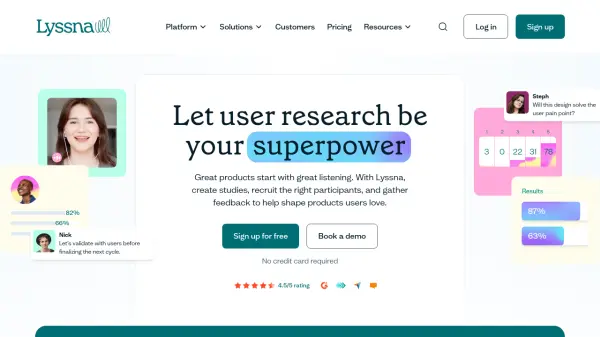
What is Lyssna?
Lyssna empowers product, design, and marketing teams to make informed decisions by streamlining the entire user research process. The platform enables users to conduct moderated interviews, unmoderated tests, and surveys, making it easy to collect feedback from targeted B2B and B2C audiences using advanced demographic and psychographic filters.
Utilizing AI-powered features such as automated summaries, Lyssna transforms collected data into actionable insights that uncover user needs and validate product assumptions. With seamless participant recruitment, flexible research methodologies, and integration with tools like Zoom and Figma, Lyssna ensures research is both scalable and efficient for organizations of any size.
Features
- AI Generated Summaries: Automated transformation of user feedback into actionable research insights.
- Flexible Participant Recruitment: Access to a vetted panel of 690,000+ users with advanced demographic and psychographic filters.
- All-in-One Research Suite: Conduct interviews, surveys, card sorting, prototype testing, and live website usability tests.
- Integration Support: Connects with Figma, Zoom, Google Calendar, Microsoft Outlook, and Microsoft Teams.
- Team Collaboration and Management: Includes role management, custom branding, SSO, and compliance features.
- Diverse Research Methodologies: Supports moderated/unmoderated tests, live interviews, preference testing, first click tests, and more.
- Template Library: Offers a wide range of pre-designed templates for various research scenarios.
- GDPR and SOC2 Compliance: Ensures data privacy, confidentiality, and enterprise-grade security.
- Detailed Analytics: Pattern recognition and trend identification within collected user data.
- Transcription and Recordings: Automatic transcript generation and video/audio recording for research sessions.
Use Cases
- Validating product prototypes with real user feedback before launch.
- Refining information architecture for websites through card sorting and tree testing.
- Identifying user experience pain points in live websites or mobile apps.
- Gauging audience reactions to new design concepts or marketing assets.
- Optimizing email subject lines for increased engagement using preference testing.
- Recruiting niche or targeted user segments for specialized research needs.
- Conducting large-scale or iterative user studies for ongoing product improvement.
- Assessing market sentiment for early-stage product ideas or feature rollouts.
FAQs
-
Are panel responses included in my subscription?
Panel responses are not included and are priced separately on all plans. -
What is the minimum subscription term?
There is no mention of a required minimum subscription term; month-to-month options are available. -
How does the Free plan work?
The Free plan allows unlimited tests, surveys, and interviews with basic limits on seats, transcription hours, and self-recruited participant responses. -
Can I purchase additional seats?
Yes, you can increase the number of seats depending on your selected plan. -
Is Lyssna GDPR compliant?
Yes, Lyssna complies with GDPR requirements to protect user data privacy and security.