What is OneSuite?
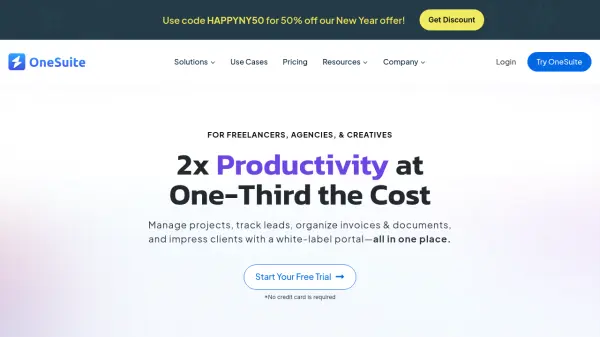
OneSuite offers a comprehensive solution for managing various aspects of business operations. It is specifically tailored for service-focused professionals and agencies, helping them to streamline workflows and enhance productivity.
The platform integrates project management, lead tracking, client collaboration, document creation and signing, and invoicing into a single, unified system. Features like a branded client portal, task management with Kanban and list views, online payment integrations (Stripe, PayPal, RazorPay, etc.), and secure document storage contribute to improved efficiency and organization.
Features
- Client Portal: Secure branded client login, real-time project collaboration, invoice viewing, and online payment.
- Invoicing: Easily create and duplicate invoices, auto-fill client details, project-specific invoices, and online payments via Stripe, PayPal, RazorPay.
- Project Management: Task and subtask management, Kanban and List views, file attachments, task templates, and personalized task management.
- Document Hub: Rich text editing, customizable templates, link documents to clients or leads, PDF export, online signatures, and secure storage.
- Lead Pipeline: Import leads using APIs and integrations, manage leads through different pipeline stages, segment leads, and one-click lead-to-client conversion.
Use Cases
- Manage clients, send invoices, and organize tasks for freelancers.
- Streamline design workflow with real-time collaboration and client feedback for design agencies.
- Showcase campaign performance and provide transparent reporting for marketing agencies.
- Manage proposals, track projects, and organize tasks for creative agencies.
- Streamline tasks, organize documents, and manage client communications for consultants.
- Manage all businesses, clients, projects, and team performance for business owners.
FAQs
-
What is OneSuite?
OneSuite is a powerful software platform designed to help businesses manage various aspects of their operations, including project management, lead tracking, client collaboration, document creation, and invoicing. It provides an integrated set of tools that streamline workflows, making it easier for digital agencies, freelancers, consultants, and small businesses to stay organized and efficient. With features like a branded client portal, task management, online payment integration (Stripe, PayPal, RazorPay, QuickPay, etc.), and document storage, OneSuite helps businesses save time and focus on delivering excellent results to their clients. -
Does OneSuite have White Label?
Yes, OneSuite offers White Label customization, including the ability to use your own domain. You can fully brand the platform with your logo, colors, and custom domain, providing a seamless, professional experience for your clients under your brand. -
Can OneSuite integrate with other tools?
Yes, OneSuite supports integrations through its REST API, enabling users to connect with other tools and platforms. It also integrates with Pabbly Connect, allowing for seamless automation with various apps. Additionally, OneSuite offers payment method integrations with Stripe, PayPal, RazorPay, and QuickPay for easy online transactions. More integrations are under development to further expand OneSuite’s functionality. -
Can I add multiple businesses?
Yes, you can add multiple businesses to OneSuite. However, each business requires a separate subscription. The good news is that you can manage all your businesses from a unified dashboard, making it easy to switch between them. -
Is my data secured in OneSuite?
Yes, OneSuite uses advanced security protocols to ensure that all your data is protected. This includes encryption for sensitive information, secure storage of documents, and regular updates to prevent unauthorized access. Your client information, financial data, and documents are safeguarded to give you peace of mind while using the platform.