What is OneHash?
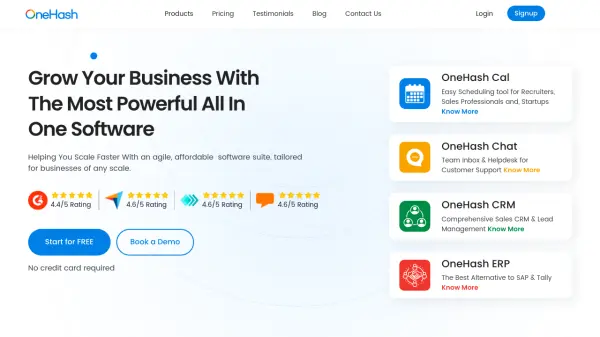
OneHash offers a comprehensive, all-in-one software suite tailored for businesses of various sizes aiming for accelerated growth. It integrates multiple essential business functions into a single platform, promoting efficiency and scalability. The suite includes tools designed to manage customer relationships, internal and external communication, enterprise resource planning, and scheduling, streamlining daily operations.
The platform features distinct products like OneHash CRM for sales enablement and lead management, OneHash Chat for omnichannel customer support and team communication via a shared inbox, OneHash ERP for managing core business processes like HR, accounting, and manufacturing, and OneHash Cal for simplifying appointment scheduling and calendar synchronization. These tools are designed to work together seamlessly, providing a unified solution for managing diverse business activities and improving overall productivity.
Features
- OneHash CRM: Comprehensive Lead Management
- OneHash CRM: Drip Campaign and Notifications
- OneHash CRM: Configurable Automation with 100+ Integrations
- OneHash Chat: Omni-channel Support (Website Widgets, Messenger, Email, Telegram, SMS, etc.)
- OneHash Chat: Shared Inbox with roles and permissions
- OneHash Chat: AI Assist via OpenAI & Chatbot Integration
- OneHash ERP: Workflow Automation and Approval setup
- OneHash ERP: Comprehensive HR, Accounting, and Manufacturing Management
- OneHash ERP: Powerful Dashboards and Reports
- OneHash Cal: Multi-calendar sync and multi-event types
- OneHash Cal: Workflow automation for scheduling
- OneHash Cal: Team Pages and Routing Forms
Use Cases
- Managing sales pipelines and customer relationships.
- Providing centralized customer support via live chat and multiple channels.
- Automating business operations including HR, accounting, and manufacturing.
- Streamlining appointment scheduling for sales, recruitment, and services.
- Improving team collaboration through shared inboxes and communication tools.
- Integrating various business tools for seamless workflows.
FAQs
-
Is there a limit to sending emails with OneHash?
Yes, using the OneHash email account/SMTP limits you to 500 emails per month. However, configuring your own email account via SMTP allows for unlimited emails. -
Is there a storage limit?
Yes, there is a 25GB storage limit per site. Additional storage can be purchased at $30 per 25GB per month. -
Will I get access to all future updates and features?
Yes, purchasing a plan grants access to all future updates and features added to OneHash without additional costs. -
What does 'unlimited users' mean in certain plans?
It means you can add any number of users to your plan without paying extra for additional users.