myCards favicon

myCards
Manage all your rewards, loyalty, and membership cards conveniently on your Android device

What is myCards?

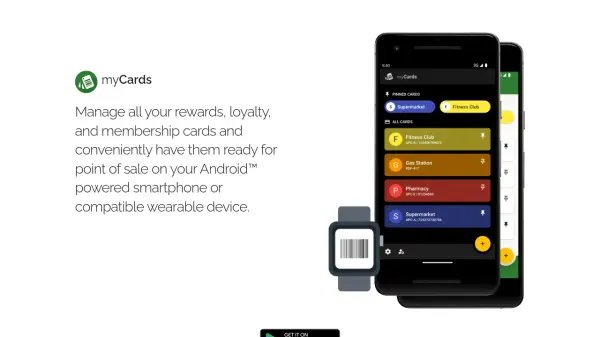
myCards provides a digital solution for organizing rewards, loyalty, and membership cards on Android-powered smartphones and compatible wearable devices. It enables users to store all their cards in one place, ensuring they are conveniently accessible when needed at point of sale.

The tool leverages artificial intelligence to streamline card management, offering a user-friendly interface that simplifies the process of keeping track of various cards. By digitizing physical cards, myCards reduces clutter and enhances efficiency for everyday transactions.

Features

  • Card Management: Organize rewards, loyalty, and membership cards in a single digital platform
  • Android Compatibility: Works on Android smartphones and compatible wearable devices
  • Point of Sale Readiness: Have cards readily available for use at sales transactions
  • AI Integration: Uses artificial intelligence to enhance card organization and accessibility

Use Cases

  • Managing multiple rewards cards for shopping
  • Keeping loyalty cards organized for frequent use
  • Storing membership cards for easy access at venues
  • Reducing physical card clutter by digitizing them

Helpful for people in the following professions

Related Tools:

Blogs:

  • Top AI tools for Teachers

    Top AI tools for Teachers

    Explore the top AI tools designed for teachers, revolutionizing the education landscape. These innovative tools leverage artificial intelligence to enhance teaching efficiency, personalize learning experiences, automate administrative tasks, and provide valuable insights, empowering educators to create engaging and effective educational environments.

  • Top 6 AI note-taking tools for 2026: in-person, online, and hybrid use cases

    Top 6 AI note-taking tools for 2026: in-person, online, and hybrid use cases

    Most AI note-taking lists are really lists of meeting bots, which join your video call and transcribe it. That's useful, but it's half the picture. Decisions happen in hallway conversations, client dinners, on-site visits, and hybrid rooms where nobody is on a video link. This guide covers different parts of the note-taking workflow: hardware capture for in-person settings, platform-native tools for online calls, and AI layers for organizing and synthesizing what you've captured. It compares six tools by capture context, workflow fit, pricing, and limitations.

Didn't find tool you were looking for?

Be as detailed as possible for better results